


Services and how you work
Which services you offer, who you work with, the software you use and how fees are set, from your own pages.
A chatbot on your firm's website that takes new client details and sends the right document checklist, without giving tax advice.
Discuss your chatbot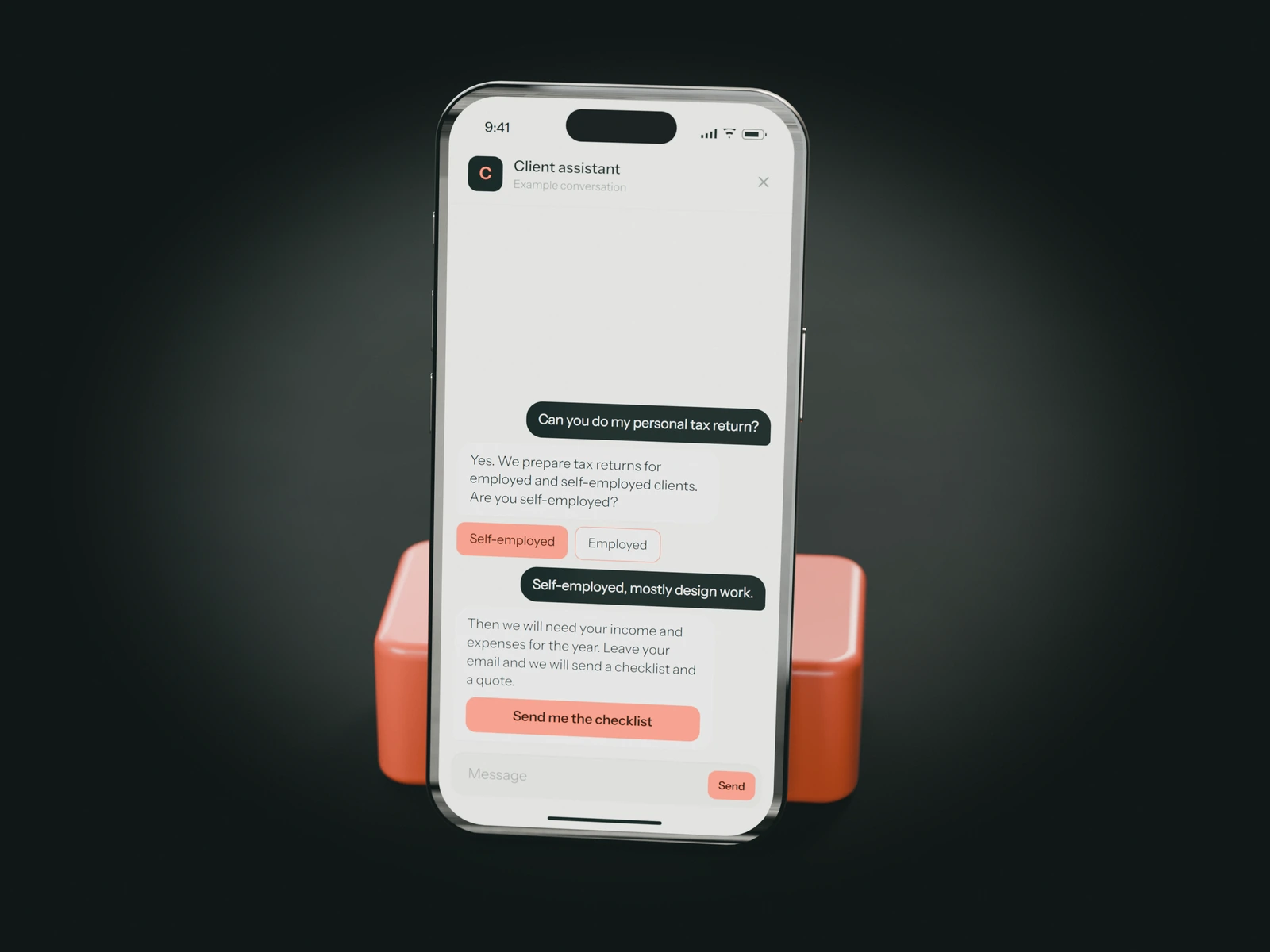
Do you do personal tax returns, can you take over my bookkeeping, which software do you use, what do you need from me, how do your fees work and can you help before the deadline. The chatbot answers from the information you approve.
Prospects ask about fit and fees, and clients ask about deadlines and letters from the tax authority.
What it may say is written down before we build.
Which services you offer, who you work with, the software you use and how fees are set, from your own pages.
It asks what you need to scope the work: the type of client, the service, the year end or deadline and current software. You get a summary instead of a chat transcript.
It sends the checklist that fits, because a self-employed tax return needs different papers from a company year end.
It explains your own cut-off dates for taking on work, so late enquiries know where they stand.
It explains how you take over from another firm, such as the letter you send the old accountant for last year's figures and what the client signs to allow it. It notes the old firm's name and what it handled, so your team can start the request.
Requests for an accountant's reference or proof of income for a mortgage or a rental go to the client's accountant, with the deadline and the wording they were asked for, if the client has it. The chatbot never says what the letter will contain.
Existing clients ask whether their documents arrived or their return is done. The chatbot cannot check who is writing, so it looks nothing up: it passes the question to the client's accountant, or points to the status page in your client portal if you have one.
A Tuesday afternoon in January. A cafe owner's bookkeeper has just left, the books are months behind and a VAT return is coming up.
What your team gets. Before the call, the partner has a summary: limited company, six staff on monthly payroll, Xero done up to September, VAT registered with a return due, marked urgent, call after 2pm. The call starts with a plan for catching up instead of the basics.
It does not give tax or accounting advice, estimate what someone owes or say what they can claim. Those questions go to an accountant with the conversation attached.
Document requests and deadline reminders go out without chasing by hand.
New client details go to your practice management software, CRM or inbox, where its API allows.
Reminders for missing documents before a deadline and a daily list of new enquiries for the team.
These do the chasing between a first enquiry and a filed return.
When a fee proposal goes out from a tool such as Ignition or GoProposal and is still unsigned after a set number of days, the prospect gets one polite follow-up and the partner gets a task to call, as with any quote that goes quiet.
When a proposal is accepted, the engagement letter, your ID check and the request for authority to act for the client with the tax authority go out together, with reminders until each one is done.
When a return is ready, the client gets it to review and approve by e-signature, with reminders, so nothing is filed without sign-off. Your team sees who has not approved as the deadline gets close.
Once a month, each bookkeeping client gets the list of bank transactions your team could not explain, with a link to answer, where your bookkeeping software allows it. The answers go back to their bookkeeper.
What you already send new clients is the starting point, plus a few decisions about who you turn away.
The client types and services you take on, and the ones you turn away, such as crypto or overseas income, so the chatbot can say so early. A short list is enough.
Your fee page, or the notes partners use when quoting: starting prices if you publish them, and what pushes a quote up, such as late records. The chatbot explains fees only the way you do.
The document lists you send today for sole traders, landlords, limited companies and payroll clients. Your current onboarding emails or PDFs are fine, and we turn them into the chatbot's lists.
The filing dates your clients face and the date you stop taking new work before each one, as a short list you update each season. The chatbot answers cut-off questions from it.
The practice management, proposal and bookkeeping tools you use, such as Karbon, TaxDome or Xero Practice Manager, so we can check each API before promising a connection.
Who takes tax authority letters, complaints and urgent payroll problems, and who covers each in busy season, as names, roles and hours.
Real web and email enquiries with names and figures taken out. We test the chatbot on them before launch, including the ones it should hand over.
Fees and deadlines each need a page of their own, and the chatbot answers from both.
Separate pages for freelancers, landlords, small companies and payroll clients, each saying what you do for them and what you need from them. Someone searching for an accountant for landlords should land on a page about landlords.
Starting prices if you publish them, or the factors that set a quote. A clear fees page puts off people who were never a fit before they take up a call.
A link to your client portal or secure upload on every page, so existing clients stop emailing bank statements and the chatbot has one place to send them.
The filing and payment dates your clients face this year and your own cut-offs for new work, updated each season. The chatbot answers deadline questions from this page, so it has to be current.
What moving from another accountant involves at your firm: what you ask the old firm for, what the client signs and when you take over. It answers the questions people have before they move.
Your professional body, such as ICAEW, ACCA or the AICPA, and licences clients can check, such as a CPA licence. Show only what you hold, with a link to the public register where there is one.
People bring numbers to an accountant's chat: what they earn, what they owe the tax authority, a Social Security or National Insurance number, sometimes a photo of a letter. None of it is needed to start, so the chatbot asks only the intake questions and sends everything else to your secure portal.
If someone pastes an ID number or bank details anyway, the chatbot does not repeat them or ask for more. Before launch we agree what happens to that conversation: who can open it, whether it moves into your practice software and when it is deleted.
Payroll clients sometimes send staff details through whatever channel is open, such as a new starter's address or a sick note. The chatbot asks them to use your portal instead, because those are other people's personal details and do not belong in a website chat.
No. It explains your services and collects details. Questions about someone's own tax position go to an accountant.
It sends the right checklist and the link to your secure upload or client portal. Documents should not be sent through the chat itself.
Often, through its API. We check what your software allows before promising an integration.
Yes, the way your own fee page or pricing policy explains them.
Yes. It answers the repeated questions at any hour and takes every new enquiry in the same format, however many arrive at once, so your team is not answering the same questions by phone. Enquiries you cannot take before the deadline go on a list for after it, and the person is told so.
Yes, if you approve the answer. It can link to the tax authority's own page on finding a tax reference, setting up an online account or getting a copy of a past return, so clients can find it themselves. It never asks for the number or a login, and it does not walk anyone through their tax account.
No. The checks and their results stay with your team. Where you use an ID verification service, the onboarding automation sends its link once you accept a client and reminds them until it is done.
It answers only from information you approve, so you update the fees page or the answer document and the chatbot follows. Because it does not quote tax rates, allowances or thresholds, a new tax year cannot leave it giving last year's figures.
Yes, where your calendar or scheduling tool allows it: payroll enquiries to the payroll lead, landlords to the partner who handles them. Otherwise it takes a call-back request with the right person's name on it.
Send the questions prospective clients ask and what you need from them. The consultation is free, over Google Meet, a voice call or text.