


Answers from your information
Opening hours, services, policies and product details, taken from pages and documents you approve. When the answer is not there, it says so instead of guessing.
We build chatbots that answer your customers from information you approve and take their booking requests. When a question needs a person, the chat goes to your team.
$800 setup, then a plan from $199 a month that keeps it running and tuned. All prices
Discuss your chatbot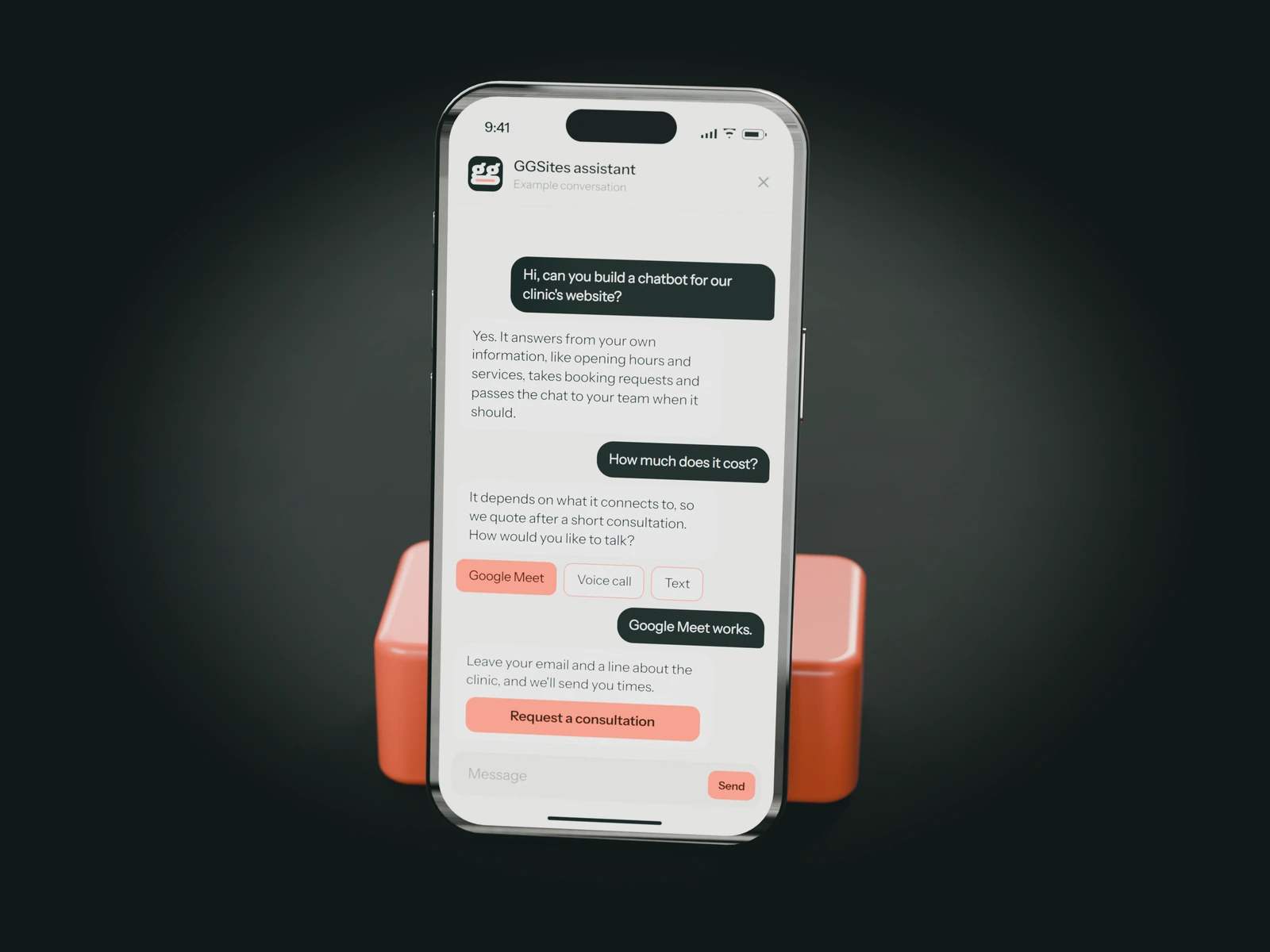
We start with the questions your customers actually ask and the moments the chatbot should hand over. Nothing goes live until you have tried it.
Each chatbot has a short list of jobs, written down before we start.
Opening hours, services, policies and product details, taken from pages and documents you approve. When the answer is not there, it says so instead of guessing.
It asks for the details you need, then saves them where you choose: your inbox, your booking tool or your customer records.
When a question needs a person, it passes the conversation on by email or chat, with what was said so far.
We test it with real questions before launch and agree what it must never do.
You can read every conversation and fix an answer at its source. Support after launch is agreed at handover.
Explore AI assistants for your teamSomeone planning a house move is comparing removals firms on a Sunday evening. The office is closed, and they want answers before they ask anyone for a quote.
What your team gets. A survey request in the team's inbox, or their CRM where its API allows, with the name, number, both postcodes, the date, the house size, the piano question and the whole chat. Monday's first call can book the survey.
From the free call to the first weeks of real conversations, with your team trying it before any customer does.
We look at what customers ask you most, when they ask it and where each enquiry should end up. You leave the call knowing whether a chatbot is worth building for your business, and what it would do.
The plan lists the chatbot's jobs, what it must never do, who receives each kind of handover and where requests land. It names any connection we still have to check, such as your booking software. A quote and a timeline come with it.
We gather the information it may answer from and write a short answers document for the questions your pages do not cover. You approve every answer in it before testing starts.
We run your collected questions through it, plus awkward ones: an urgent case, an angry complaint, a service you stopped offering, a question in another language. We mark each answer right or wrong and fix the sources until they are right. Then we send test requests and check where each one lands.
Your team uses it on their own phones, as customers would, before launch. Then it goes on the pages where questions come up, and everyone who picks up handovers knows where they arrive.
The first conversations show what testing missed, such as a question nobody predicted or a handover that came too late. Read them every few days at first, and fix each problem in the source it came from. Once they stop surprising you, every week or two is enough.
What makes one chatbot more work to build than another.
Answering questions from your information is one job. Taking booking requests, asking a new lead's first questions or looking up an order are more, and each brings its own questions, rules and tests.
An email summary to your inbox is the simplest route. Writing requests into a booking tool, CRM or helpdesk depends on what its API allows. Reading live data, such as free slots or an order's status, takes the most work, along with checks on who is asking.
If your prices and policies are on clear, current pages, there is little to prepare. If the answers live in people's heads or in old PDFs, writing the answers document is real work, whoever does it.
One inbox for every handover is simple. Different people for bookings, complaints and urgent cases, several locations, or live chat during opening hours with another route at night each add rules to build and test.
Each language is tested with real questions written in it. When your pages exist in one language only, answers in the others need extra checks, above all on prices, policies and anything about safety.
Clinics, law firms and financial businesses need stricter limits, more awkward test questions and more care over what a conversation may collect. That takes longer to set up and to test.
None of it needs polishing: rough lists and plain documents are fine.
Copied from your inbox, contact form, social media messages and phone notes, in the customer's own words, with names and numbers removed. They become the test the chatbot has to pass.
Links to the pages it may use, plus your price list and policies as files. Mark anything out of date, and tell us which source wins when two disagree, such as your website and your Google Business Profile.
Who gets bookings, complaints, urgent cases and everything else, with a backup for days off, and what should happen out of hours. A short list of names and email addresses is enough.
An invitation to your booking software, CRM or helpdesk, or a test account, so we can check what its API allows before anything is promised. If you have none of these, an inbox works.
What the chatbot must never say in your trade, any standard wording such as a disclaimer, and your privacy notice, which will need a line about the chat.
The person who answers your phone knows which questions catch customers out. Give them time to try to break the chatbot before launch. They will find gaps the rest of us miss.
These are the ones that make customers stop trusting a chatbot.
A demo answers the questions the seller picked. Before you decide, run thirty of your customers' real questions through it, including a complaint and an urgent case, and watch what it does when it does not know.
Old PDFs, last year's prices and a forgotten holiday notice all turn into answers. Give it a short list of current sources and retire the rest.
If the chatbot says "booked" while your team still has to confirm, someone turns up for a slot that does not exist. Unless it can see and write to your real calendar, it should say "request" and tell them who confirms and when.
"Someone will be in touch" means nothing if the email goes to a shared inbox nobody owns, or to someone who has left. Before launch, send one test handover of each kind and see who replies. What a chatbot should hand over has examples by trade.
Some customers will always prefer to phone or fill in a form. Removing your number because the chatbot now takes enquiries loses them. Keep the chatbot as one more way in, next to the others.
It says so and offers to pass the question to your team. It answers only from information you approve, and we test it with your real questions before launch.
The chatbots we build start on your website. Other channels depend on each platform's rules and approval, so we check them case by case.
It collects booking requests and sends them to your team or booking tool. Whether it can confirm bookings itself depends on what your booking software allows.
Yes. You get a way to read past conversations and correct the information it answers from.
Usually not. It is added to the site you have with a short piece of code on each page. Most website platforms allow that, some only on certain plans, so we check yours before we quote. If the pages it would answer from are out of date, those need fixing first.
It asks only for what a request needs, such as a name, a way to reply and a few words about the job, and never for card numbers or passwords. Before launch we agree what is stored, for how long and who can read it. The chat window tells visitors, in one line, what happens to their messages.
Discounts, refunds and exceptions are not the chatbot's to give. It passes those requests to a person with the conversation attached. Before launch we test exactly this, including a visitor who says a member of staff promised them a deal and one who simply keeps asking.
The request still reaches an inbox in the same format, and someone gets an alert, so nothing disappears. The chatbot keeps answering questions in the meantime, and requests go back to the booking software once the connection is fixed.
The timeline comes with the quote. The part that depends on you is the information: the sooner your real questions and approved answers are ready, the sooner testing can start. Each connection, such as to booking software or a CRM, adds checking and testing of its own.
Then we say so at the consultation. If enquiries are few and each needs a careful look, a short form and a clear page of answers may serve you better. Chatbot, live chat or contact form compares the three.
What a chatbot and automation handle for each kind of business, and where your team takes over.
Send a few real questions and where the answers live today. The consultation is free, over Google Meet, a voice call or text.