


Treatments, hours and practical details
Services, opening hours, parking, access, payment and insurance options, all taken from information you approve. If a detail is missing, it says so instead of guessing.
A chatbot on your clinic's website that answers the questions your front desk hears every day. Anything clinical goes to your team.
Discuss your chatbot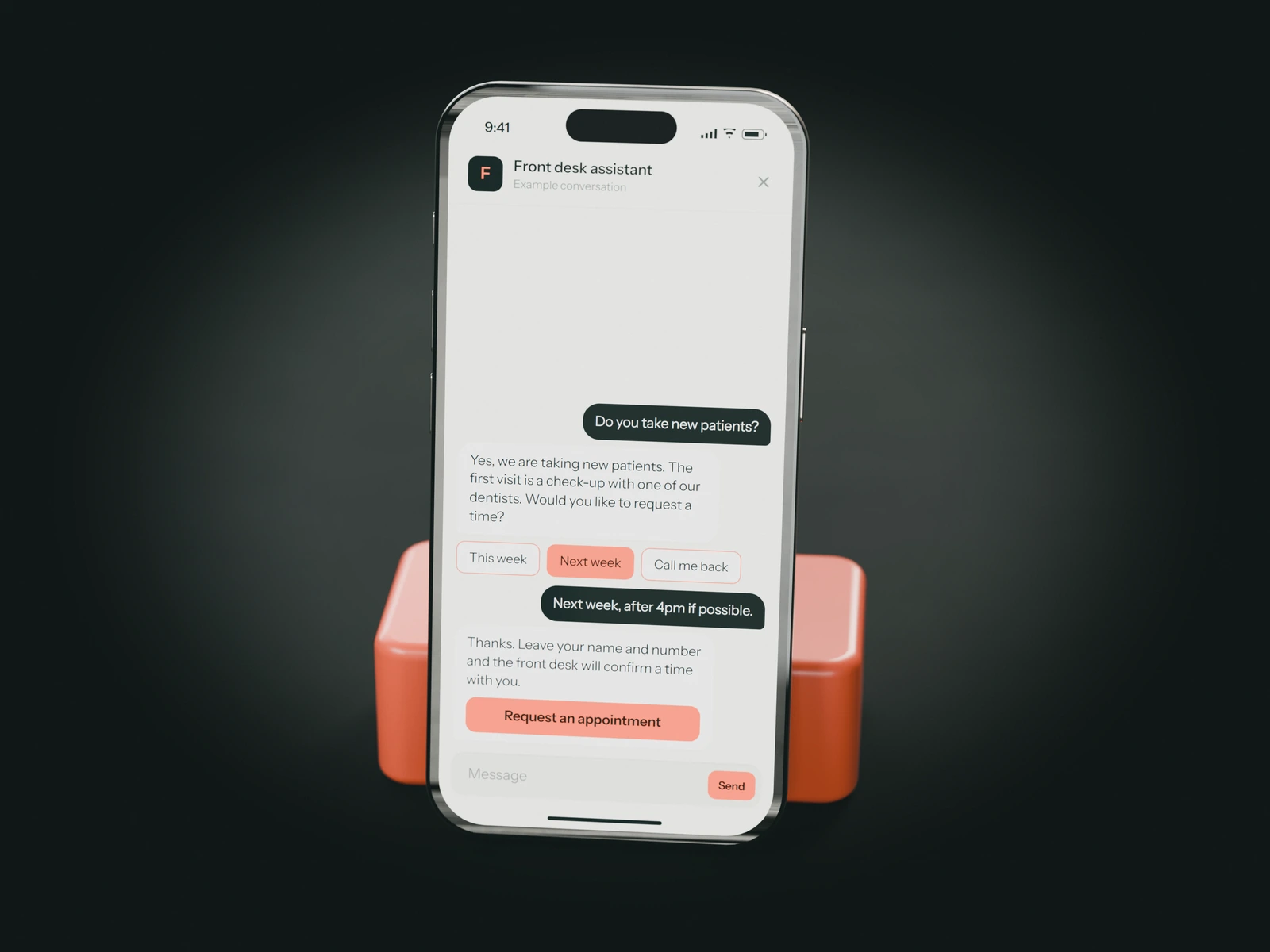
Whether you take new patients, which treatments you offer, what a first visit involves, whether you accept their insurance, where to park and what to do about a broken tooth on a Saturday. Most of it is already on your website or in your team's heads. The chatbot answers from the version you approve.
The questions a dental front desk answers all day, typed the way patients type them.
What it may say is written down before we build.
Services, opening hours, parking, access, payment and insurance options, all taken from information you approve. If a detail is missing, it says so instead of guessing.
It collects the patient's name, contact details, the reason for the visit and preferred times, then sends the request to your front desk or booking system. Your team confirms the appointment.
Pain, swelling, bleeding or a knocked-out tooth get your emergency number and opening hours straight away instead of advice, and the conversation is flagged for your team.
If you use online registration or medical history forms, it sends the right link, so patients arrive with the paperwork done.
Prices from your fee list, with the "from" wording you use for implants, aligners and crowns, and how your payment plan or finance works. Whether someone qualifies for finance, and what their treatment will cost in the end, stays with your team.
Existing patients who want their next check-up or a hygiene appointment. The chatbot asks when they were last in and who they usually see, so the front desk can find the record and the right diary.
Requests to move or cancel an appointment, with your notice period and any late cancellation fee explained in your words. Same-day cancellations are flagged to the front desk straight away, because that slot can still be filled.
Sunday evening. Someone who has not seen a dentist for years is nervous about coming back, and a back tooth has started to ache.
What your team gets. On Monday morning the front desk has a new patient request marked nervous, with the aching tooth, weekday mornings and the whole conversation attached. They text to offer a longer first appointment.
It does not diagnose, recommend treatment or comment on symptoms. Those questions go to a person with the conversation attached. We test these limits with real questions before launch, and you can read every conversation afterwards.
Each request reaches your front desk ready to confirm.
Requests reach your inbox, booking tool or practice software in the format your team already uses. We check what your software allows before promising an integration.
A reminder when a booking request is still waiting, a call-back list for the front desk and a short summary of the day's enquiries.
Small jobs around the appointment book, set up as booking automation once we have checked what your practice software already does and what its API allows.
Your practice software sends the recall. This picks up the patients who did not book after it: one more message with a booking link, then a list for the front desk to call.
A link to your medical history form before each appointment, so patients update it at home instead of on a clipboard in the waiting room. Anyone who has not filled it in is flagged for the front desk.
Patients who have not confirmed tomorrow's appointment go on a short call list for the front desk each afternoon, so calls go where they are needed instead of to everyone in tomorrow's diary.
When an appointment is cancelled, patients on your cancellation list who asked for an earlier slot get a message. Replies go to the front desk to confirm, so two people are never promised the same time.
A single, polite message to patients who were given a treatment plan but have not booked, asking whether they have questions. Replies go to your treatment coordinator. It asks a question and sells nothing.
Most of it already sits in your policy folder or on your website. The urgent wording needs a dentist to sign it off.
The current list, including what a new patient check-up covers and the "from" prices for larger treatments. A PDF or a link to your fees page is fine. The chatbot quotes nothing that is not on it.
What patients should do in opening hours and after them, approved by a dentist, including what to say about swelling and knocked-out teeth. This is the answer that matters most, so we use your exact words.
Whether you take NHS or insured patients, which plans you accept and how payment works on the day. A short list in plain sentences is enough.
The name of your practice software, such as Dentally, Dentrix or Open Dental, and who manages it. We check what its API allows before we promise that a booking request lands in the right dentist's diary.
Links to your registration and medical history forms, if patients fill them in online, so the chatbot sends the right one at the right point.
Who gets urgent flags, complaints, records requests and treatment plan questions, and their hours. A name and an inbox for each is enough, plus a backup for holidays.
A month or two of emails and website messages with names and contact details removed. We test the chatbot against them before launch, so it is tried on your patients' questions instead of invented ones.
The chatbot answers from your pages, so these are worth getting right. If yours need work, we can do that too: see websites.
What counts as urgent, what to do in opening hours and after them, and the number to call. People in pain look for this at night on a phone, so put it near the top.
Your fee list with "from" prices, and how payment plans or finance work. Patients look for prices before they call, and a clear page saves the front desk the same explanation over and over.
Whether you are taking new patients, NHS or private, what happens at the first visit, the forms to fill in and what to bring, such as a list of medicines. Keep the availability line current.
What you do for anxious patients, whether you offer sedation and how to tell you before the visit. Nervous patients read it quietly before they ever phone, so say plainly what happens and that they can ask for more time.
One page per treatment people search for, such as implants, aligners, whitening and hygiene: what is involved, how many visits, the "from" price and how to book a consultation.
Each dentist and hygienist with a real photo, their qualifications and registration details, and the days they work. Patients ask for people by name, so the page should match who is actually in.
Patients type more than a booking needs. Someone in pain describes the tooth, the swelling and the tablets they have taken; someone nervous explains why. The chatbot asks only for a name, contact details, a few words on the reason for the visit and preferred times. It does not ask for a medical history or insurance numbers: those belong in your own forms.
What a patient types about their teeth and medicines is health information. HIPAA applies in the US to the practices it covers, and the GDPR treats health data as a special category in Europe. Before launch we agree where conversations are kept, for how long, who at the practice can read them and how a patient's request for their data is handled.
The chatbot cannot stop someone typing their whole medical story, so it does not repeat those details back or ask about them. It points the patient to the phone or your medical history form, and the conversation is kept under the rules agreed before launch.
No. It answers practical questions from information you approve. Anything about symptoms, pain or treatment choices goes to your team, and urgent problems get your emergency number.
It collects booking requests and sends them to your team or booking tool. Whether it can confirm appointments itself depends on what your booking software allows. We check that before the build.
Health information has extra rules in most countries, so the chatbot asks only for what a request needs. Before the build we agree what is stored, for how long and who can see it.
Yes. You can update the information it answers from, and you get a way to read past conversations and correct answers.
Usually, yes. The chatbot is added to the site you have. If the site itself needs work, we can do that too.
Whoever you choose. Flags go to the inbox or team chat you pick, and the chatbot cannot ring anyone. That is why the patient always gets your urgent number or out-of-hours route on screen first: nothing depends on someone reading a flag at 2am.
Yes, if your rules differ. It asks early which applies, because availability, fees and paperwork change with the answer. When your NHS list is closed, it says so in your words and offers private appointments or your waiting list, if you keep one. Insured and self-pay patients work the same way.
No. It answers what the patient asks, from your pages. It does not suggest whitening to someone booking a check-up or tell anyone they need a treatment. Recommending treatment is a dentist's job after an examination, and the chatbot says so.
No. Your phone number and contact form stay where they are. The chatbot is for people who would rather type, often outside opening hours, and it shows your number whenever someone mentions pain, swelling or an injury. Our guide to chatbots, live chat and contact forms compares the three.
Yes. It takes the parent's details, the child's name and age and a few words on the reason, and marks the request as a child's appointment. Your own rules, such as who must come with a child, are given in your words.
Send a few real questions and where the answers live today. The consultation is free, over Google Meet, a voice call or text.