


Job details for a quote
The type of job, the address, access and timing, plus photos if your tools accept them, gathered in one go so you can quote without three phone calls.
A chatbot on your website that collects the details you need for a quote while you are on a job, and flags anything urgent.
Discuss your chatbot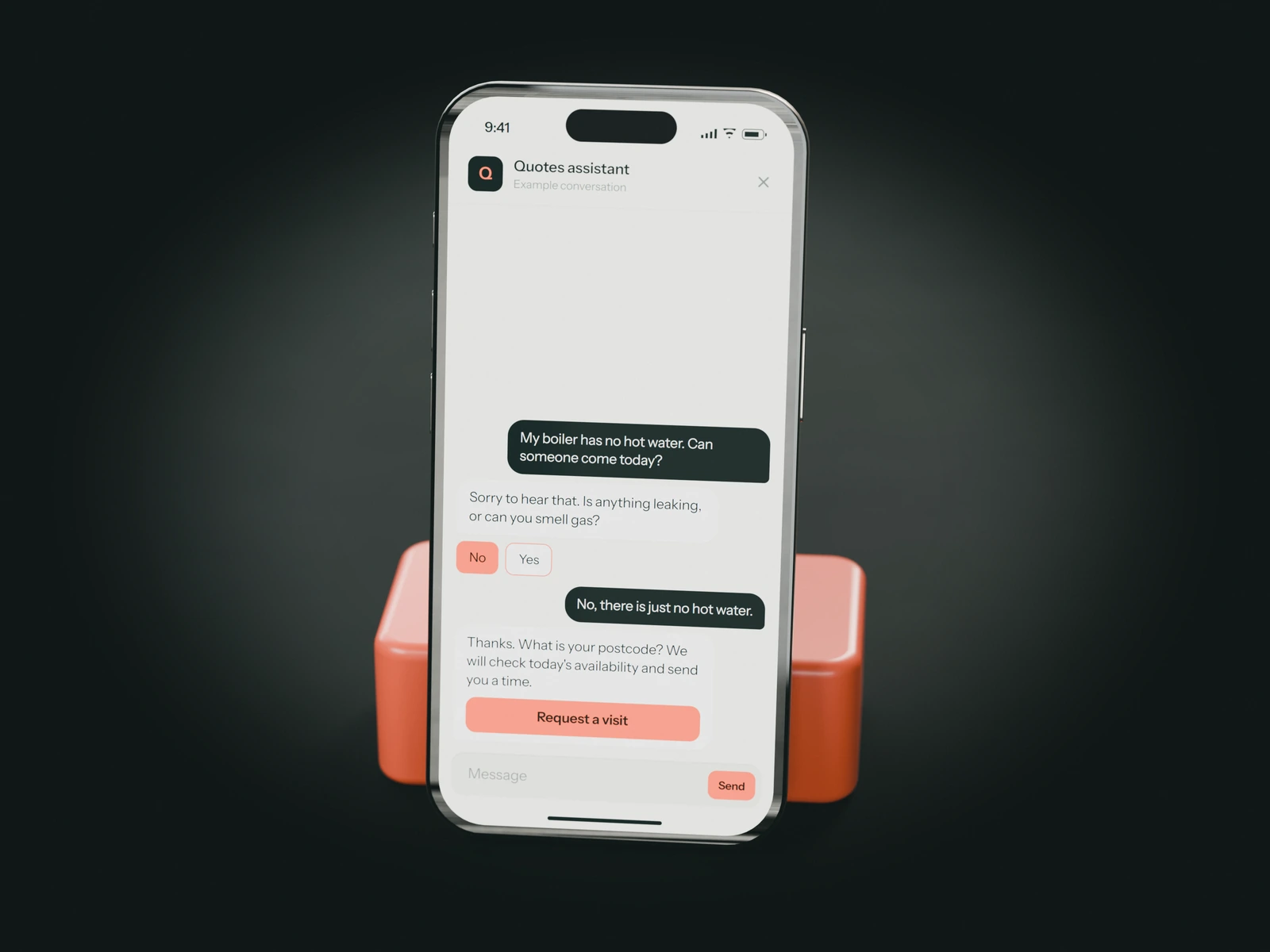
Do you cover my area, how soon can you come, roughly what will it cost, are you insured, do you work weekends and can you look at this today. You cannot answer the phone halfway through a job. The chatbot answers from information you approve and collects the details you would ask for anyway.
Before launch, the chatbot is tested on questions like these, taken from the texts and emails your customers send you.
What it may say is written down before we build.
The type of job, the address, access and timing, plus photos if your tools accept them, gathered in one go so you can quote without three phone calls.
It checks postcodes or ZIP codes against the areas you cover and explains your usual lead times.
Leaks, no heating or no power get your emergency number straight away, and the request is flagged.
Insurance, guarantees, payment terms and what happens after the job, the same answer every time.
A new boiler or a full rewire needs someone to look before anyone can quote. It asks what the customer wants done and when someone will be home, and explains whether you charge for the survey visit.
"Is anyone still coming?" Where your job software shares the booked arrival window, the chatbot gives that window. Otherwise it passes the message to the office with the address and the customer's number.
Annual boiler, furnace or air conditioning services, and gas safety checks for landlords. It asks which appliance it is, when it was last serviced and, in a rented home, how to reach the tenant to arrange access.
A customer writes to an electrician's website at 9.15pm on a Sunday. The kitchen sockets have no power and they want someone round tomorrow.
What your team gets. At 8am the office has a job card: kitchen sockets off since the kettle tripped the fuse box, no burning smell, customer home until 1pm, photo attached. The first call agrees a time, and nobody has to ask what happened.
It does not give firm prices for work nobody has seen, and it gives no safety advice on gas or electrics beyond telling people to call you or the emergency services. Quotes stay your decision.
Each enquiry arrives as a job card with what you need to quote.
Quote requests go to your inbox, job management software or a shared sheet, where its API allows.
A reminder when a quote request is waiting, a nudge when a sent quote has had no reply and a review request after a finished job.
These keep running while your hands are full, as far as your phone system and job software allow, which we check first.
When a call to your mobile goes unanswered because you are under a sink, the caller gets a text with a link to the chatbot, so they leave their details instead of ringing the next plumber.
When the engineer marks a job as travelling in your job app, the customer gets a text with the engineer's name, so someone is in when the van pulls up.
With the customer's permission, a message when an annual boiler or air conditioning service is due, or before a landlord's gas safety record or electrical report runs out, using the dates you already hold.
When a boiler or heat pump installation is marked complete in your job software, you get a reminder to register the manufacturer's warranty, with the customer's details and the serial number from the job sheet ready to copy. Nobody finds out at the first breakdown that it was never registered.
When a job is marked complete in your job software, the customer gets the invoice, any certificate and your warranty terms in one email. A landlord who needs the certificate next year searches their inbox instead of calling you.
Most of it is already in your head. We need it written down once, in whatever form is easiest.
A plain list, such as boilers yes, oil boilers no, commercial no. It stops the chatbot taking requests you would only have to call back and refuse.
The postcodes, ZIP codes or towns you cover, and any you cover only for bigger jobs. A typed list is best, but a map with a line drawn on it will do.
Callout or diagnostic charge, minimum charge, whether quotes are free, and any fixed prices you are happy to publish. A photo of your price sheet works.
For example, water through a ceiling is and a dripping tap is not. Add your out-of-hours number, when it is answered and the gas emergency line for your area.
Gas Safe, NICEIC or state licence numbers, your insurance and your warranty terms, exactly as your documents state them. Customers check these, so the chatbot repeats them word for word.
If you use job software such as Jobber, ServiceM8, Tradify or Housecall Pro, we check its API before promising that requests arrive as jobs. If it cannot connect, they reach your inbox in the same format.
Twenty or thirty real texts, emails and voicemail notes. We test the chatbot on them before launch, including the vague ones that just say "boiler broken, help".
Customers usually find you on a phone with the problem in front of them, so these come before a polished home page.
Someone with water coming through the ceiling wants to phone. A call button fixed to the bottom of the screen, with your hours beside it, matters more than anything else on the page.
List the towns and postcodes you cover rather than a radius in miles. Customers check this before they call, and many type a trade and their town into Google.
Show your Gas Safe, NICEIC or licence numbers as text next to the logos, so customers can look you up on the official register before they let you in.
Before and after pictures of real work, with the town and the job named, such as a bathroom refit in a terraced house. Stock photos of smiling plumbers tell customers nothing.
Your callout charge, hourly rate or fixed prices for common jobs such as a boiler service. People who only wanted a rough number get it without ringing you mid-job.
Job type, postcode, a few photos and when someone is home, on one short form that works on a phone. The form and the chatbot send requests in the same format.
A request to a plumber or electrician holds more than a name. It has a home address, the hours someone is in, photos taken inside the house and sometimes the fact that an elderly parent lives alone. The chatbot asks for the address only when a request is being sent, and it asks when someone will be in, never when the house will be empty.
Photos are for the fault, such as the boiler display or the leak. The upload asks customers to keep people and paperwork out of the frame. Key safe codes, alarm codes and card details are never asked for in the chat. Your office collects access details on the phone or through its own system.
Before launch you decide with us what is stored, how long it is kept and who can read it. In Europe the GDPR applies to all of it. Requests can be deleted from the chat records once they are in your job software, so a list of addresses and visit times does not sit in a second place.
It explains how you price and collects everything you need to quote. The quote itself stays with you.
It gives your emergency number or out-of-hours instructions straight away and flags the conversation for you.
Yes. It compares the customer's postcode or ZIP code with the areas you list.
No. The chatbot can be added to the site you have. If the site needs work, we can do that too.
Nobody has to. Requests wait for you as job cards, and only urgent ones reach your phone straight away, as a text or a notification where we can connect one. You read the rest at lunch or at the end of the day. Requests nobody has answered can be chased with enquiry follow-up.
Your number stays on every page and in the chat itself. The chatbot is for people who cannot reach you while you are working, or who are writing at 10pm. The guide to chatbots, live chat and contact forms compares the options.
Yes. It asks which trade the job is for first, then asks that trade's questions and sends the request to the right person. Each trade gets its own emergency rules, because a leak and a burning smell need different answers from you.
It asks every enquiry the same questions: area, job type, timing and whether the customer owns the home or rents it. You see at a glance which requests are outside your area or for work you do not take. Who you call back stays your decision.
Where your job software shares free slots, it can offer them, and you still confirm. Where it does not, the chatbot collects the days that suit the customer and your office replies. We check what your software allows before the build.
You change one line in the information the chatbot answers from. It then gives your current wait for non-urgent work and still takes the request, or stops taking certain jobs for a while. Urgent jobs still get your emergency number.
The questions you ask before quoting are enough to start. The consultation is free, over Google Meet, a voice call or text.