


How you work and what you charge
Whether you charge a fee and when, which lenders you work with, whether you take self-employed and contractor clients and how the process runs, in your own words.
A chatbot on your firm's website that books first calls and tells clients which documents to gather. Every borrowing question goes to a broker.
Discuss your chatbot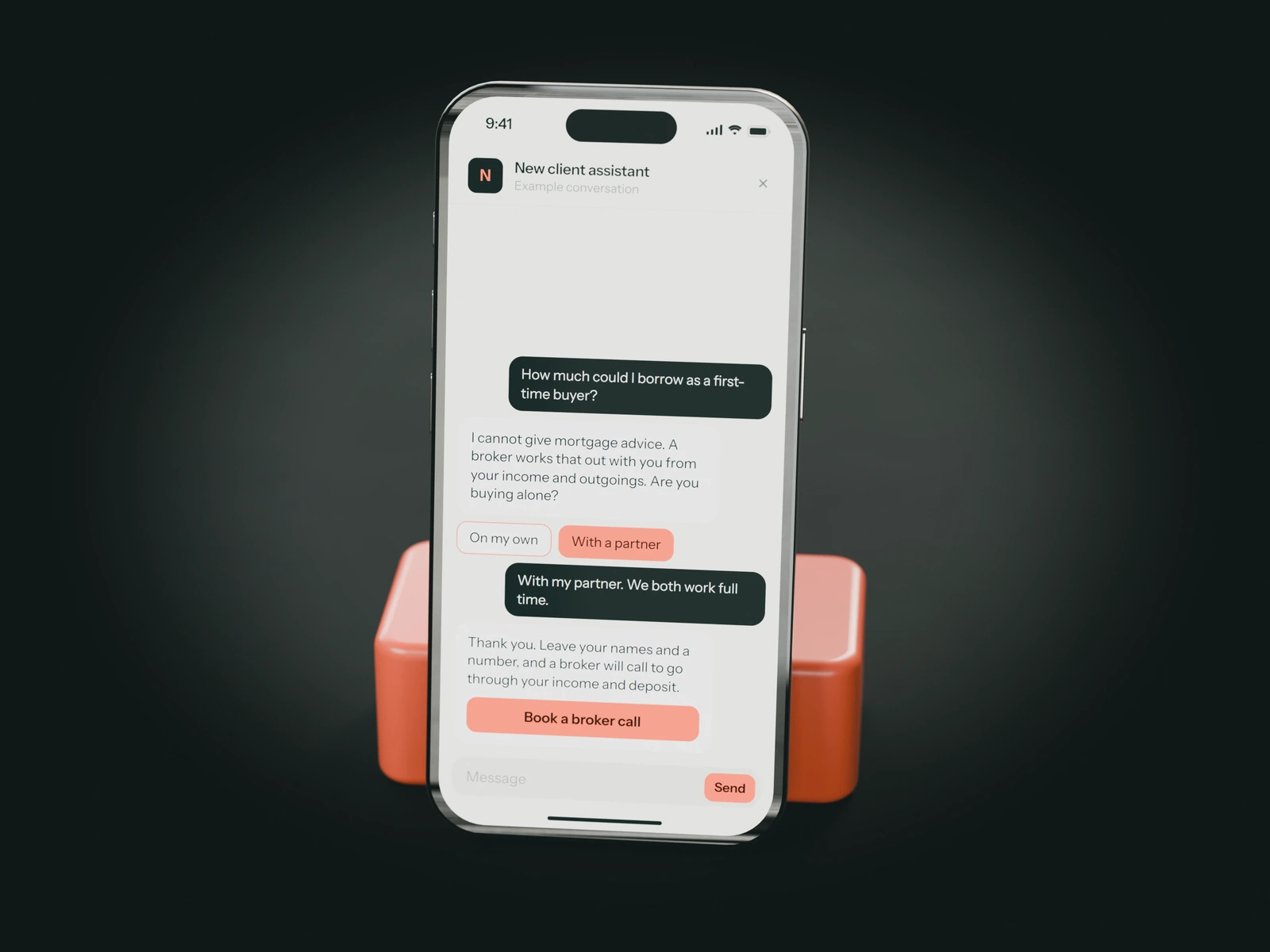
How much could I borrow, do you charge a fee, can you help if I am self-employed, how big a deposit do I need, how quickly can I get an agreement in principle or pre-approval and should I fix for two years or five. Three of these need a broker, and the chatbot books the call. It answers the other three from information you approve.
Buyers ask before the first call, and homeowners ask when a fixed rate is about to end.
What it may say is written down before we build.
Whether you charge a fee and when, which lenders you work with, whether you take self-employed and contractor clients and how the process runs, in your own words.
It takes names, contact details, what the client needs, such as a first home or a remortgage, and how far along they are. Then it offers a call slot where your calendar allows, or sends the request to your team.
Payslips, bank statements, ID and proof of deposit for an employed buyer, tax returns and accounts for a self-employed one. The chatbot sends the list that fits, with your upload link.
Where your system allows it, clients can ask where their application stands, such as valuation booked or offer issued. Otherwise the question goes to their broker.
If you also arrange life cover, income protection or home insurance, it says so when asked and notes the client's interest for the call. Which cover, and how much, stays with the adviser, and the chatbot does not push it.
During a purchase, estate agents and conveyancers chase progress too. The chatbot takes the message, the property and the client's name and passes it to the broker on the case, who decides what to share with the client's consent.
If you do not arrange bridging, commercial mortgages or equity release, it says so in its first reply and gives the referral you choose, so the enquiry does not wait for a broker who will only pass it on.
Wednesday, 9.15pm. A homeowner's fixed rate ends in April, their lender has emailed a new deal and they want to know whether to take it.
What your team gets. The broker sees the booking with a summary: joint remortgage, fixed rate ending in April, a new deal offered by the current lender, possible extra borrowing for a loft conversion, one applicant self-employed. The question about the lender's deal waits for the call.
Mortgage advice stays with your brokers. The chatbot does not say how much someone can borrow, recommend a lender, rate or product, or predict whether an application will be accepted. Those questions go to a broker, who sees what the client has already said. The risk warning and regulatory status your firm uses can be shown in the chat window.
Each enquiry reaches a broker with the first questions already answered.
New enquiries go to your inbox or mortgage CRM with the client stage noted, where its API allows.
Reminders for missing documents while an application is open and, with the client's permission, a note before a fixed rate ends.
These run alongside the chatbot, from the first call to completion.
Once a call is booked, the client gets your online fact find with what the chatbot already knows filled in, where your mortgage CRM allows it. The broker starts the call with the basics done.
When a case moves on in your CRM, such as application submitted, valuation booked or offer issued, the client gets a short update. With the client's consent, their estate agent and solicitor get one too.
Your team gets a reminder a set time before each mortgage offer or agreement in principle expires, with the expected completion date if you have it, so there is time to ask for an extension or reapply.
After completion, the client gets a thank-you from their broker with a link to your review page, and one reminder at most. A reply that raises a problem goes to the broker, not into a review queue.
Start with the wording your compliance team has approved. The rest is lists your brokers keep anyway.
First-time buyers, remortgages, buy-to-let, self-employed, adverse credit, equity release: which you arrange, which you refer and to whom, so the chatbot can answer or refer in its first reply. A short list is enough.
Your fee, when it is charged and how you describe lender commission, taken from the terms of business clients sign. The chatbot explains them in your words only.
Your risk warnings, regulatory status and any lines your compliance team has signed off. If a network approves your website wording, we send it the chatbot's answers and test chats before launch.
What you ask from employed, self-employed and contract clients, and for a gifted deposit or a buy-to-let portfolio, so the chatbot sends the right list. Your current checklists or emails are fine.
Which CRM you use and how brokers' calendars are shared, so we can check the API before promising bookings or updates.
Who takes urgent cases, such as an expiring offer or a client in arrears, who handles complaints and who covers when a broker is away, as names and hours.
Real web and email enquiries with names and figures taken out, including awkward ones about credit problems, so we can test where the chatbot hands over.
The pages borrowers look for before they call, which are also what the chatbot answers from.
First-time buyers, remortgage, self-employed, buy-to-let and later life, each saying who it suits and what happens next. A buyer searching for a self-employed mortgage broker should land on that page.
What you charge, when, and whether lenders pay you too. The chatbot answers fee questions from this page, so it has to be exact.
Your FCA status and the repossession warning in the UK, or your NMLS ID and the notices your state requires in the US, placed where your compliance team says they must appear.
A page to book a first call with real broker availability, evenings included if you offer them, and a choice of phone or video.
A portal or upload link for payslips, bank statements and ID, so they stop arriving by email. The chatbot sends the same link.
If you add a repayment calculator, have your compliance team approve its wording and say plainly that the figures are an illustration. The chatbot does not run calculations or repeat their results.
Mortgage chats draw out the things lenders look at: a missed payment years ago, a payday loan, a divorce, a visa, sometimes an illness. The chatbot does not ask about any of it and does not probe when someone volunteers it. The broker's summary says there is something to discuss, and the detail waits for the call.
When one partner books for both, the chatbot takes only the second applicant's name and whether they are employed or self-employed. The broker collects the rest from that person directly, in the fact find. That way nobody hands over another person's finances in a chat the other person never saw.
If you advertise on Facebook or Instagram, the tracking that reports an enquiry to Meta carries no details of the case, because Meta's Business Tools Terms do not allow financial information. It reports that an enquiry happened and nothing else. See how to track leads from Meta ads.
No. It describes how you work and takes the client's details. Questions about borrowing amounts, lenders, rates or products go to a broker.
No. It does not run credit checks or judge applications. It books a call so a broker can look at their circumstances.
To your secure portal or upload link. The chatbot sends that link with the right checklist and asks clients not to post documents in the chat.
Only what a first call needs, such as whether the client is employed or self-employed. It never asks for bank logins or card numbers, and we agree retention and access with you before anything goes live.
Yes, with the client's permission, from the dates in your records. The reminder invites them to talk to you and does not suggest a new product.
Yes. Before launch we give them every answer the chatbot can give, the questions it refuses and transcripts from our tests. After launch, changes to the approved answers can go through the same sign-off, and you can read every conversation.
Yes. It can route by case type or area, such as buy-to-let to the broker who handles it and protection to your protection adviser, or share new enquiries out in turn. You set the rules and can change them.
Nothing about rates. When someone asks whether a Bank of England or Federal Reserve decision will change their payments, it says a broker can look at their mortgage with them and offers a call. It never predicts what rates will do or comments on a lender's pricing.
Yes. Mortgage adverts have their own rules, so the landing page and the chatbot's wording go through your usual approval. The chatbot can record which campaign each enquiry came from. See landing pages for ads.
You update the fees page or the answer document, and the chatbot answers from the new version. Ask it the fee question yourself after each change, and read a few conversations to check what it said.
Bring the questions you ask a new client, and we will show how the chatbot would collect the answers. The consultation is free, over Google Meet, a voice call or text.