


How you work
Programmes, session formats, workshops and retainers, who each one suits and how fees are set, from your own pages.
A chatbot on your website that asks your qualifying questions and books discovery calls into your calendar. The coaching and the advice stay with you.
Discuss your chatbot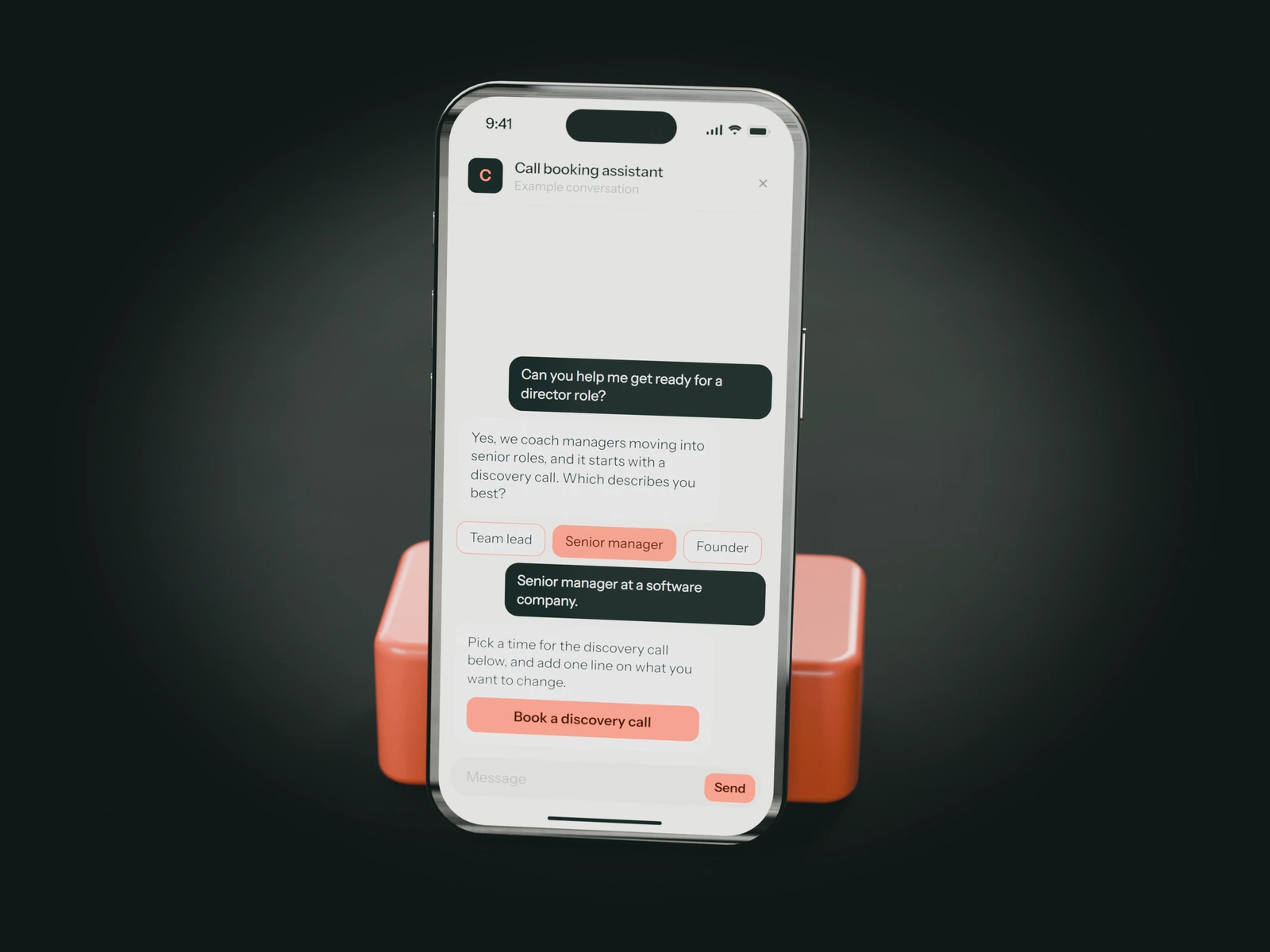
Who do you work with, have you worked in our industry, how many sessions are in a programme, is it all online, can my company pay the invoice and what happens on the call. When you are in sessions all day, these wait in your inbox until evening. The chatbot answers from your own pages and books the call.
The chatbot answers the practical ones from your pages and keeps the requests for advice for your call.
What it may say is written down before we build.
Programmes, session formats, workshops and retainers, who each one suits and how fees are set, from your own pages.
The questions you would ask first, such as role, company size, what they want to change and when. People outside your focus are told so politely, with a link you choose.
It offers times from your scheduling tool in the visitor's time zone, where the tool allows, and sends your pre-call questions with the confirmation.
HR teams buying coaching for staff and organisers asking about talks get their own questions, and their enquiries are marked so you can spot them.
Rescheduling, your cancellation rules, where to find the workbook or recording and how many sessions are left, where your scheduling tool shows it. Anything about the coaching itself waits for the session.
It points them to your newsletter or free guides and signs them up if they ask. Nobody is pushed towards a call they did not ask for.
NDAs, supplier forms and security questionnaires from companies are collected and sent to you with the company's details. The chatbot does not sign or comment on any of them.
A founder writes at 11.20pm after a difficult board meeting. She wants an answer tonight, and the coach is asleep.
What your team gets. Maya's calendar has the call with a note: founder and CEO, 14 people, seed funded, company likely to pay, wants to talk about disagreeing with her co-founder on fundraising. The conversation shows the chatbot declined to give a tip.
It does not coach or give advice, even when someone asks directly. It says that belongs on a call with you, and it does not promise outcomes. If someone describes a crisis, it shares the helpline or emergency details you choose and flags the conversation to you.
You start each discovery call knowing who you are talking to and why.
Booked calls reach your calendar with the answers attached, and new contacts reach your CRM where its API allows.
A reminder before the call with the video link, and a draft follow-up after it for you to check and send.
These run next to the chatbot, through your calendar and invoicing tools where they allow it, and cover the admin between a first call and a client's last session.
When a proposal has had no reply by the date you set, you get a nudge with a draft check-in to send. Nothing goes out without your say-so.
Once someone says yes, the agreement, the invoice, your intake questions and the booking link for the first sessions go out in order. You see what is still missing before session one.
The client gets a reminder with the reflection question you set for that session, so they arrive with something to work on. Your session notes stay yours, and nothing from them is sent automatically.
Purchase order numbers and billing contacts are collected before you invoice, so the invoice is not sent back. An unpaid invoice gets a polite reminder after the due date you set.
A short feedback form and, if the client is happy, a request to quote them on your site. Nothing is published without their written yes, and you choose what to use.
Most of it lives on your website and in how you run a discovery call. We need it written down once.
Each programme, workshop or retainer: who it is for, the format, what is included and your fees as published or on request. Your sales pages are often enough.
What you ask on a discovery call, who you do not work with and where you send them instead, such as a colleague or a free resource. A list is enough.
Access to your scheduling tool, such as Calendly or Acuity, with the event types for discovery calls and sessions, so we can check what its API allows.
The helpline and emergency details you want shown, and the therapists, lawyers or other coaches you refer people to, with their agreement to be listed.
Your client agreement or terms page: cancellations, rescheduling, refunds, pauses and payment plans, so the chatbot repeats your rules instead of making them up.
Only the stories and quotes clients agreed to publish. The chatbot mentions these and nothing else about past clients.
Emails, contact form messages and social media messages from people who did and did not book, with names removed. We test the chatbot on them before launch.
Before booking a call, people look for proof that you understand their situation. These pages give it to them.
Your background, the roles and sectors you have worked in, accreditations such as ICF if you have them and a recent photo. People book a person, so make it specific.
What the call covers, who it is for, what it is not (a free session) and the booking calendar on the same page, so people know what they are booking.
Named or anonymised stories in the client's own words, with what changed and their sign-off. Real ones only, never invented or merged from several clients.
What each programme costs or how a quote is built, payment plans and how company invoicing works, so people arrive at the call knowing the range.
Workshops, group coaching and how procurement works with you, plus a form for HR teams that asks group size, dates and who holds the budget.
Talks, short video clips and topics, plus a booking form for organisers that asks the date, the audience and the format.
People write openly in a chat: a conflict with their boss, a health scare, a divorce, the name of their company. The chatbot asks only your qualifying questions. It does not ask for more, and details nobody asked for stay out of the summary that reaches your calendar.
Consultants hear confidential business plans. If someone starts to share figures, client names or plans that are not public yet, the chatbot suggests keeping them for the call, after any NDA you use. A short note on what they want help with is enough to book.
Before launch we agree what is stored, for how long and who can read it, in line with your privacy notice. Health information has extra protection under the GDPR in Europe, so the chatbot never asks about it. If someone asks for their conversation to be deleted, the request goes to you.
No, it explains how you work and books the call. Anything that sounds like a request for advice is kept for the call itself.
It tells them politely who you work with and suggests a resource you choose. You set the rules, and borderline cases still get a call.
Yes, through your scheduling tool where its API allows. Otherwise it shares your booking link at the right moment.
Yes, HR and learning teams are asked about group size and invoicing, and their enquiries are marked as company leads.
It uses your words for your offers, taken from your pages and emails, and you approve sample answers before launch. It introduces itself as your assistant, so nobody thinks they are talking to you.
Maybe not yet. If a handful of enquiries arrive each month and you reply the same day, a clear booking page may be enough. Our guide on chatbots, live chat and contact forms helps you decide. A chatbot pays off when questions arrive while you are coaching and cannot reply.
It can send your checkout or payment link at the point you choose, for example after the discovery call, once you have both agreed it is a fit. It never handles card details itself.
If your fees are published, it quotes them. If you prefer to discuss fees on the call, it says so and explains what the price depends on, such as the number of sessions or the size of a team. We suggest a starting figure on your site: it filters out calls that were never going to work.
Yes. It answers from your cohort pages: start dates, session times, format and how to apply, and says whether places are left where your booking tool shows that. Applications go to you to decide.
Usually it is added with a short piece of code, but each platform has its own limits, so we check yours before promising anything. If the site itself needs work, that can be part of the plan.
Your ideal client and the questions you ask on every discovery call are enough to start. The consultation is free, over Google Meet, a voice call or text.