


Memberships and policies
Membership options, contracts, freezes and cancellation, exactly as your terms state them.
A chatbot on your website that books trial classes and follows up with people who were thinking about joining.
Discuss your chatbot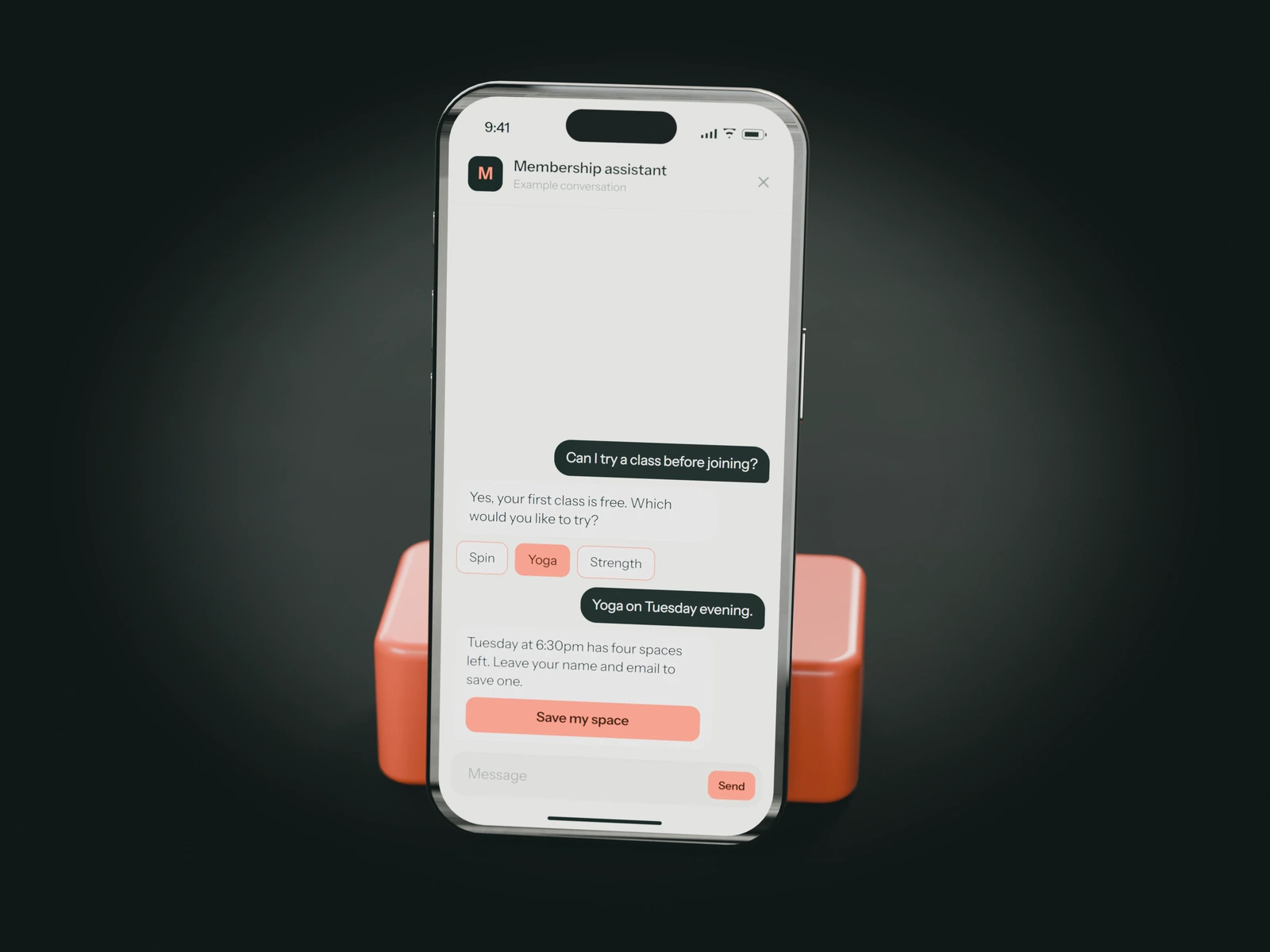
How much is membership, can I try a class first, what is on Tuesday evening, do you have showers, is there a contract and can I freeze my membership. The chatbot answers from your timetable, prices and policies.
Most have a set answer in your terms or timetable, and the last group goes to a coach.
What it may say is written down before we build.
Membership options, contracts, freezes and cancellation, exactly as your terms state them.
Classes, times, instructors and levels, from your timetable or booking system.
It books a trial or collects the details so your team can, with the class and time chosen.
Opening hours, parking, showers, lockers and accessibility, the same answer every time.
It asks what the person wants to work on in a few words, which days suit them and whether they want a particular trainer, then sends the enquiry to your PT team. Packages and prices come from your list. The programme stays with the trainer.
Minimum ages for the gym floor and for each class, junior sessions, whether a parent has to stay and which consent form you use. Parents get your rules as written, and requests for an exception go to the manager.
Companies asking about staff memberships are asked how many people, which site and who pays, and the enquiry goes to whoever handles corporate deals. Day passes and bring-a-friend rules come from your price list.
A man writes on a January evening, ready to join but worried about an old back injury. The chatbot answers the membership questions and leaves his back to a coach.
What your team gets. An intro request for Tuesday at 7pm, marked 'coach to discuss an old back injury', with the two classes he asked about. The health questionnaire goes out with the confirmation.
It does not give medical or injury advice or write training plans. Questions about health conditions go to your staff.
People who try a class get a follow-up afterwards.
Trial bookings and leads go into your booking or membership software, where its API allows.
A reminder before the trial class and, with the person's permission, a follow-up afterwards with the membership options.
These run from your booking and membership software, where its API allows, and do the jobs your front desk does by hand.
New members get the induction booking link and your health questionnaire, such as a PAR-Q, as soon as they join. The coach sees the answers in your software before the first session, and the chatbot never reads them.
When a member misses a booked class, they get your late cancellation rule and the next sessions of that class. Whether a credit is lost or a fee is charged is set in your booking software, not by the message.
When an instructor is off and a class changes or is cancelled, everyone booked gets a message, and the chatbot's answers about that class change with the timetable.
When a direct debit or card payment fails, the member gets a message with a link to update their details in your member portal, and the front desk gets a list each morning.
Members who agreed to hear from you and whose check-ins stop for the period you set get a message from the team, with this week's timetable and the option to freeze instead of cancel. Check-ins come from your access or booking system where its API allows.
Most of it is in your booking software and your membership terms already.
Your timetable with each class's level, length and who it suits, from your booking software or a spreadsheet. Level descriptions let the chatbot answer beginner questions without judging anyone.
Minimum term, notice period, freeze rules, joining fee and cancellation fees, exactly as the contract states them. The chatbot quotes them word for word, so send the current version.
Access to your class booking or membership software, such as Mindbody, Glofox or TeamUp, so we can check what its API allows: live spaces, trial bookings and new leads.
The health questionnaire you use and the words your staff say when someone asks about an injury or a pregnancy. The chatbot hands those questions over in your wording.
The PT lead, the membership manager and whoever covers early and late shifts, with how each wants to be told. Add your out-of-hours number if members can get in when nobody is on the desk.
Your price list and current offers with the date each one ends, so an intro offer stops being quoted on the day it finishes.
Recent website, Instagram and email enquiries with names removed, from a busy January if you kept them. They show how people ask about contracts and injuries, and we test the chatbot on them before launch.
People who see your ad or find you on Google Maps check the timetable and the price before they visit. These are the pages that answer them.
Your live timetable from the booking software, filtered by class and level, with a book button on each session. We check how your software's widget behaves on a phone before building around it.
Each membership with its price, minimum term, notice period and what it includes. A member who read the notice period before joining is not surprised by it later.
Level, length, what to bring and photos from your own studio. Someone searching for reformer Pilates nearby should land on that page, with the next sessions on it.
Qualifications, specialisms and the classes each coach teaches, with a link to enquire about personal training with them. People choosing a trainer look at the person first.
A landing page for the intro offer in your ads, with one short form and the next free sessions. It matches the ad, so nobody hunts for the offer on the home page.
The gym floor, the racks, the studio, the changing rooms and the entrance, with your staffed hours next to them. New members want to know what they are walking into.
Gym chats bring up health without being asked: an old back injury, a pregnancy, blood pressure, a weight someone wants to lose. None of it is needed to book an intro, so the chatbot passes the question to a coach and keeps a short note, such as 'wants to discuss a back injury', instead of the whole story.
Your health questionnaire stays in your membership software, where only the staff you choose can open it. Health details are a special category of data under the GDPR in Europe, which is one more reason to keep them out of a chat log. The chatbot links to the questionnaire and never stores the answers.
Card and bank details never go through the chat: payments and failed direct debits are handled in your member portal. Bookings for juniors go through a parent or guardian. Before launch we agree what is stored, for how long and which staff can read the chats.
Where your booking system allows it, yes. Otherwise it collects the request for your team.
No. Questions about health or injuries go to your staff.
Yes, if it reads it from your website or booking system, so changes reach it automatically.
Yes, with the person's permission, by email or message at the timing you choose.
It explains your notice period and cancellation terms as the contract states them, and sends the request to the membership manager or your software's cancellation form. It does not argue members out of leaving. If you want it to mention freezing as an option, you choose the wording.
Yes. At night it answers from the same information and gives your out-of-hours number for access or safety problems. Anything that needs staff waits for the first shift, with the member's details attached.
Yes. It asks which site first, so classes, staffed hours and parking match that location, and enquiries go to that site's team. Members who use more than one site get the rules for each.
It explains the rules as your terms state them: how long credits last, what a late cancellation costs and whether packs can be shared. The balance itself is in your booking app or member portal, and the chatbot links there.
It answers each enquiry as it arrives, so a busy week does not leave messages waiting for the weekend. Leads land in your booking software or inbox with the ad campaign noted, where your tracking is set up. Our guide on tracking leads from Meta ads covers that part.
Yes. It answers from your timetable and rules: kit lists, belay checks, grading dates and age groups. Whether someone is ready for a grading or a harder route stays with the instructor, and so does any question about an injury.
With those and the questions people ask, we can show you how it would answer. The consultation is free, over Google Meet, a voice call or text.