


Rooms and facilities
Room types, breakfast, parking, pets, accessibility and facilities, from your own pages.
A chatbot on your website that answers guests' questions at any hour and sends booking enquiries to reception.
Discuss your chatbot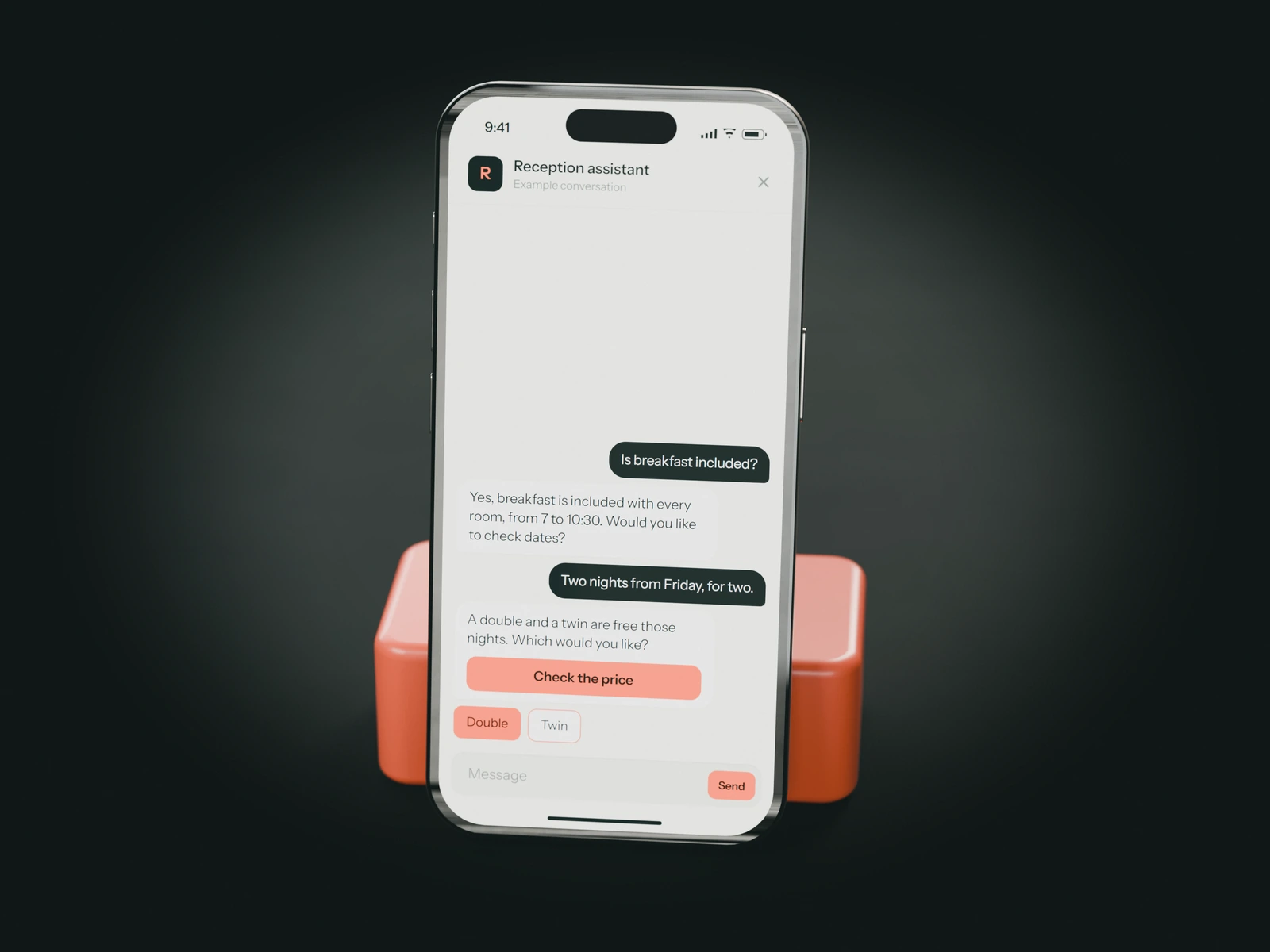
Is breakfast included, what time is check-in, is there parking, are dogs allowed, how far is the station and do you have a room for two nights from Friday. Reception answers these all day. The chatbot answers from your own information.
Grouped by where the guest is: still choosing, already booked, on the way or in the building.
What it may say is written down before we build.
Room types, breakfast, parking, pets, accessibility and facilities, from your own pages.
It sends guests to your booking engine with the dates chosen, or takes an enquiry for reception if you book by email.
Check-in times, directions, late arrival and key collection, the same answer at 2am as at noon.
Weddings, groups and meetings: it collects dates, numbers and needs and passes a complete enquiry to the right person.
Guests who booked through Booking.com or Expedia ask about breakfast, invoices and date changes. The chatbot explains, as your policy states, which changes go through the booking site and which reception can make, then passes the request on with the surname and dates.
Where to eat, which taxi firm to call, the nearest late pharmacy and a good walk, taken only from the list you write. If a place is not on it, the chatbot says so instead of guessing.
A guest who left something behind describes it, gives their room and dates, and says whether they want it posted. Housekeeping checks, and reception replies with the postage cost and a payment link from your own system.
A guest writes at 11.40pm the night before arrival, after reception has closed. The guesthouse uses a door code for late arrivals.
What your team gets. Reception starts the morning with the Moreau booking flagged: a Booking.com stay, arriving around 1am, a cot requested for a one-year-old. The chatbot changed nothing in the booking itself.
It does not confirm rooms your booking engine has not confirmed, change existing bookings or take payments. Complaints and special requests go to reception.
Guests get their arrival details before they come.
Enquiries reach reception or your property management system, where its API allows.
Arrival details a few days before the stay, and a thank-you after it, sent automatically.
These cover the emails reception writes again and again.
Each morning, reception gets the day's arrivals with what guests asked for in the chat, such as a cot, a late arrival or a ground floor room. Requests are matched to bookings by surname and date where your property management system allows it.
For a wedding block or a tour group, the organiser gets reminders before the rooming list is due, and your team hears when unclaimed rooms are close to their release date. Releasing them stays your decision.
Requests for an invoice in a company name are collected with the company details and the booking, then sent to reception's inbox. After checkout, the invoice goes out by email from your own system where its API allows.
If you have a restaurant or a spa, the arrival email carries links to book a table or a treatment for the dates of the stay. Bookings land in those systems as usual, and guests who opted out of offers get the arrival details only.
A direct enquiry about dates, a group or a long stay that sits in the inbox without a reply triggers a reminder to the manager at the time you set, before the guest books elsewhere.
Most of it sits in your booking engine, your website and what reception knows by heart. We need it written down once.
The booking engine and property management system you use, such as Mews or Cloudbeds. With access, we see whether the chatbot can read availability or should open the booking page with the dates filled in.
For each room type: bed sizes, bath or shower, floor, lift access, the most guests it sleeps and whether a cot or extra bed fits. A spreadsheet is fine.
Check-in and checkout times, late arrival, deposits, cancellation terms for direct bookings, children, pets and smoking, written the way reception explains them.
Your self check-in steps and which parts the chatbot may say. Door codes and key safe codes stay in the email you send on the day.
Reception's inbox, the duty manager's number for nights, and whoever handles groups, invoices and lost property.
The restaurants, taxi firms, walks and late pharmacies you are happy to recommend. The chatbot recommends nothing outside it.
Recent guest emails with names removed, including the ones reception answers most, such as directions, late arrivals and parking. We test the chatbot on them before you try it.
Guests compare your site with your listing on the booking sites, usually on a phone. Your own site should answer more, not less.
Real photos, bed size, bath or shower, the view, the floor and how many it sleeps, so a guest can choose without emailing first.
A date picker that opens your booking engine with dates and guests filled in, kept within reach at the bottom of a phone screen.
Whatever you give direct bookers, such as easier cancellation or breakfast included, said plainly next to the booking button. List only what you actually give.
By train, by plane and by car, with parking, electric car charging and how late arrival works. Leave the door codes out.
Step-free routes, the lift, door widths and the bathroom in your accessible room, with photos and measurements. Guests decide from facts, not from the word accessible.
All your policies on one page: check-in, checkout, cancellation, children and pets in plain words, linked from the booking engine and from the chatbot's answers.
Hotel chats hold names, travel dates, arrival times and sometimes children's ages. Some guests mention a medical need, a wheelchair or an allergy. The chatbot asks only for a surname and dates to match a booking. Anything about health goes to reception as the guest wrote it, and the chatbot leaves it there.
It never asks for card numbers, passport numbers or photos of ID. Where your country requires guests to register ID details, that happens at check-in or through your own online check-in, not in the chat. A guest who types a card number anyway is told not to, and we agree with you how such messages are cleared from the log.
Before launch we agree what is kept, for how long, and whether night staff can read chats or only the reception manager. We also agree how a guest's request to see or delete their conversation is handled, so reception has an answer ready when one arrives.
It sends guests to your booking engine with their dates, or collects enquiries for reception. It only confirms what your booking engine confirms.
Yes. Late arrivals and guests in other time zones get the same answers at any hour.
Yes. It replies in the language the guest writes in. We test the languages that matter to you.
It collects the details and passes them to the person who handles events.
It can say what you offer direct bookers, in wording you approve, and take the guest to your own booking engine instead of a booking site. It does not compare your prices with booking sites. Whether more bookings come direct shows in your booking engine's reports, and we will not promise a number.
Where your booking engine or channel manager lets another tool read availability, it can say which room types are free for the dates asked. Otherwise it opens your booking engine with the dates filled in, which shows the same thing. We check which applies before the build.
Maybe. If you answer emails between breakfast and cleaning rooms, the chatbot takes the repeated ones, such as parking, check-in times and dogs. If a handful of emails arrive each week, a clearer website will do more, and that is what we would suggest at the free consultation.
Yes. It answers from the same information: breakfast times, the restaurant, the spa and checkout. Requests such as extra towels or a late checkout go to reception. Give it the Wi-Fi password only if you are happy for it to be public, because anyone can ask the chatbot on your website.
Add a short notice with an end date, and the chatbot answers from it until then. The same works for building work, a closed restaurant or a road closure. We show you how before launch, and every conversation is there for you to read and check.
Yes, with different questions: key collection, cleaning between stays, how the heating works and the house rules. The setup is the same. Check-in instructions with codes still go by email, never through the chat.
A list of what guests ask is enough to start. The consultation is free, over Google Meet, a voice call or text.