


Treatments and prices
Descriptions, durations and prices from your own price list. When a price depends on hair length or a consultation, it says so.
A chatbot on your salon's website that answers price questions from your own list and sends clients to your booking app.
Discuss your chatbot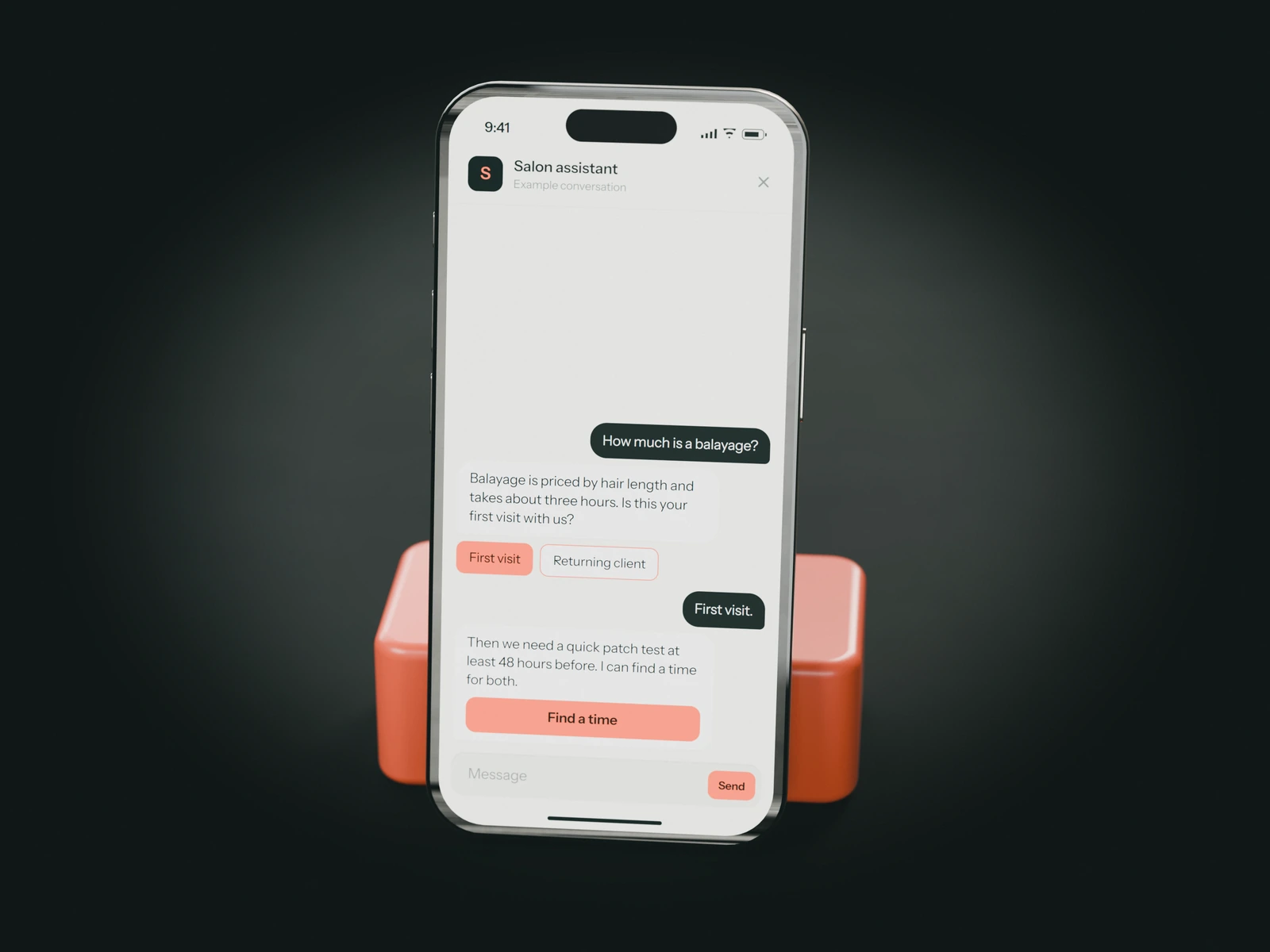
How much is a balayage, how long does a facial take, do I need a patch test, can two of us come together, is anything free on Saturday and what is your cancellation policy. The chatbot answers from your treatment menu, prices and policies, the way you would.
Most have one standard answer in your salon, and the last group always goes to a person.
What it may say is written down before we build.
Descriptions, durations and prices from your own price list. When a price depends on hair length or a consultation, it says so.
It sends clients to your booking app with the right treatment chosen, or collects a request if you book by message.
It reminds clients about patch tests, preparation and aftercare, using the instructions you write.
Deposits, cancellations and late arrivals, explained the same way every time.
Bridal hair and make-up, hen parties and group spa days. It asks for the date, how many people, which services and whether the party needs you at the venue, then sends the request to whoever runs weddings. Trials are offered if you do them.
How to buy one, which treatments it covers, how long it lasts and whether it can go towards a dearer treatment, all from your voucher terms. Balance checks work where your booking software allows them. Lost codes go to the front desk.
What each package includes, what to bring, whether robes and towels are provided, arrival times, pool and sauna rules, your minimum age and what happens to a spa day when a guest arrives late.
A client writes on a Sunday evening to book a spa day for two as a surprise for her mother's 60th. One of her questions is for a therapist.
What your team gets. One request for the spa team: two guests on Saturday the 14th, the room for two, a voucher to apply and a sauna question flagged for a therapist. A note at the top says to contact the daughter only.
It does not judge skin or hair conditions or suggest treatments for a medical problem. Complaints, reactions and anything that needs a professional eye go to your team.
Reminders and rebooking messages go out without anyone typing them.
Requests and new clients land in your booking app or inbox, where your tools allow it.
A reminder before an appointment, aftercare instructions after one and, with the client's permission, a note when it is usually time to rebook.
Each one works from the client records in your booking app, where its API allows, and takes a repeated job off the front desk.
When a colour appointment is booked and the client's record shows no patch test inside the period your policy sets, the client gets a message to book one and the front desk sees a flag on the booking.
First-time clients get a link to your consultation or health form when they book, so the therapist reads it before the treatment starts. The answers stay in your booking software, never in the chat.
When someone cancels a Saturday slot, clients on the waiting list for that day get a message with the booking link. The first to book takes it, and nobody at the desk has to ring round.
When your team marks a no-show, the client gets your policy and a link to rebook, in your wording. Charging the fee or letting it go stays the manager's decision.
Where a voucher has an email address on it, the holder gets a reminder before it expires, with the treatments it covers and a booking link. Requests to extend an expired voucher go to the manager.
Most of it already sits in your booking app, your price list and the messages you answer every week.
Every treatment with its price, duration and stylist or therapist level, as a PDF, a spreadsheet or your booking app's service list. For each 'from' price, tell us what decides the final figure.
Your patch test rule, preparation notes and the treatments you only do after a consultation, in your own words. Your current booking emails or a typed list both work.
Access to your booking software, such as Fresha, Timely or Phorest, so we can check which services, staff and booking links its API can share before we promise direct booking.
Deposits, cancellations, late arrivals, under-16s and the spa's minimum age, copied from your website or booking confirmations. The chatbot repeats them word for word, so send the current version.
Who handles reactions and complaints, who takes wedding enquiries and who covers the owner's day off, plus how each wants to be told: a call, an email or a message in the booking app.
A few weeks of Instagram, WhatsApp and email messages with names removed. Clients ask 'how much for a full head' in a dozen ways, and we test the chatbot on all of them before launch.
What each spa day includes, voucher expiry and transfer rules and whether vouchers can be topped up, so answers about lunch, robes and pool time match what you sell.
Clients who find you on Instagram or Google Maps open the website to check prices and book. These are the parts of a salon website that have to work on a phone.
A section per category, such as colour, nails, facials and massage, with price, duration and stylist level. A PDF price list is hard to read on a phone, and clients compare prices before they book.
Each treatment opens your booking app with that service already chosen, where the app gives each service its own link. The booking chatbot uses the same links, so a client never has to find the treatment twice.
Each stylist or therapist with their level, specialisms such as curly hair or colour correction, and a link to book with them. Clients often choose the person first and the treatment second.
Before and after photos taken in your salon, labelled by service. A client deciding on balayage wants to see balayage your team has done, in your light.
Vouchers sold online through your booking software, where it sells them, with the treatments each covers and the expiry date. Buyers are often partners and family who have never visited, so the page has to answer everything without a phone call.
Deposits, cancellations, patch tests and age rules on one page, linked from every booking confirmation. A client who saw the rule before booking cannot say nobody told them.
Salon and spa chats carry more personal detail than people expect: a pregnancy, a dye allergy, eczema, medication such as Roaccutane, sometimes a photo of a scalp. The chatbot does not ask for any of it. When a client mentions it, the question goes to a therapist and the request carries a short note, such as 'pregnant, asking about massage', instead of the whole story.
In Europe, the GDPR treats health details as a special category of data, and clients everywhere expect them to stay private. They belong in the consultation form inside your booking software, where you already control who can open it and where your therapists check for contraindications before a treatment.
Before launch we agree what is stored, for how long and which of your team can read it. For most bookings that is a name, a phone number, the treatment and a preferred time. Photos are accepted only if you want them, for a stylist to see before a colour consultation.
It sends clients to your booking app with the treatment chosen, or collects requests for you to confirm. Booking directly depends on what your booking software allows.
Yes, from your own price list. When a price depends on a consultation, it says so instead of guessing.
It explains your cancellation policy and passes cancellation requests to your team or booking app.
Yes, the instructions you write, after the right treatment.
It does not answer that. Pregnancy, medication, allergies and skin conditions go to a therapist with the chat attached. If you publish a pregnancy policy, such as the treatments you offer from a certain stage, it can point to that page, and the question still goes to a therapist.
Yes. It opens your booking app with that stylist chosen, where the app allows it, and explains any price difference between levels from your list. If the stylist is away or fully booked and your app shows that, it offers another date or someone at the same level.
No. It explains your deposit rule and sends the client to your booking app, which takes the deposit on its own payment page. The chat never sees a card number. Questions about a deposit already paid go to the front desk.
It explains the difference as your menu describes it, for example gel against BIAB, or a classic facial against a peel. Which one suits a client's skin or nails is for a therapist to say, so the chatbot offers a consultation or passes a note to the therapist.
Yes. It says when you take walk-ins and when only booked clients are seen, and sends people to book when you prefer appointments. It cannot see how long the queue is unless your booking software shares that.
Where your tools accept uploads, a photo can go with a colour consultation request. The chatbot does not comment on the photo or say whether a colour is possible. That stays with the stylist, who sees the photo before the consultation.
Your price list and the questions clients ask are enough to start. The consultation is free, over Google Meet, a voice call or text.