


Candidate questions
Pay, hours, location and hybrid details from your live job ads, plus how to apply and where to upload a CV. When a job closes, it stops offering it.
A chatbot on your agency's website that tells candidates and hiring companies apart and sends each one to the right consultant.
Discuss your chatbot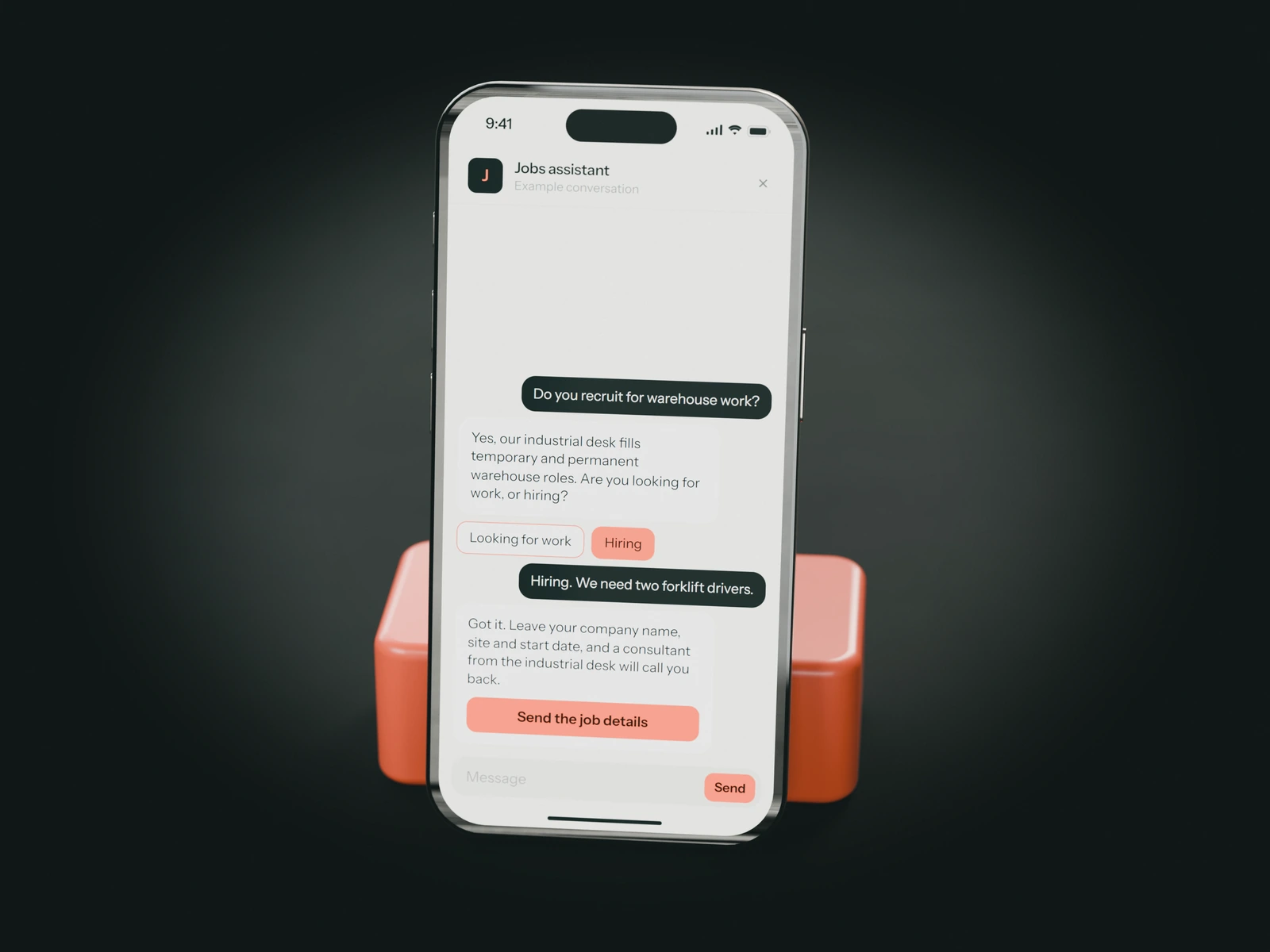
Candidates ask whether a job is still open, what it pays, whether it is hybrid, how to send a CV and whether there is news on their application. Hiring managers ask whether you cover their sector, how your terms work, whether you do temp cover and whether you can find someone to start on Monday. The chatbot keeps the two conversations apart and answers each from information you approve.
The chatbot answers from your live jobs and temp handbook, and anything else goes to a consultant.
What it may say is written down before we build.
Pay, hours, location and hybrid details from your live job ads, plus how to apply and where to upload a CV. When a job closes, it stops offering it.
The questions a consultant would ask first, such as a forklift licence or notice period. Answers go to the consultant, and the chatbot rejects nobody.
Role, location, pay range, start date and whether it is temporary or permanent, sent to the desk that covers that sector.
Timesheet deadlines, pay dates, holiday requests and how to report sickness, from your own policies. Questions about missing pay go to payroll.
It asks what work someone wants, where and whether temp or permanent, then books a registration call or appointment where your calendar allows, and lists the ID and certificates to bring.
Temps tell it which days they can work next week. The update goes to the desk that books them, so consultants are not ringing round on a Friday afternoon.
Candidates who do not match a live job can ask for alerts for that kind of work in their area. They opt in, and every alert has a way to stop them.
A candidate opens a job ad at 9.15pm. She has managed shops for ten years, wants to move into payroll and is not sure she should apply.
What your team gets. The finance desk consultant gets her CV in your recruitment software and a short summary: the role, ten years managing shops, her question about fit and weekday lunchtimes for a call. Her age is not in the summary.
It does not shortlist or reject candidates, or judge whether someone suits a role. A consultant makes those calls. Pay negotiations and employment law questions go to a person, and it never invents news about an application.
Each CV and vacancy lands with the consultant who covers that sector.
Candidates and vacancies go into your CRM or applicant tracking system, where its API allows, with a short summary of the chat.
A timesheet reminder to temps before your weekly cut-off, and a note to the consultant when a new vacancy has had no call back.
These run next to the chatbot, from your recruitment software where its API allows, and cover the reminders and chasing that fill a consultant's day.
The candidate gets the time, the place, who they will meet and what to bring, then a reminder the day before. Afterwards, the consultant gets a prompt to collect feedback from both sides.
Right to work documents, certificates and references are chased with a secure upload link until the file is complete. The consultant sees what is missing before the start date, not on the morning.
When a temp is booked, they get the site, start time, contact and kit needed, and confirm with one reply. If nobody confirms by the time you set, the desk is alerted while there is still time to cover.
Short messages to the new starter and the hiring company at points you choose in the first weeks. Early problems reach the consultant while your rebate period is still running.
Before a consultant searches the database for a role, candidates who registered a while ago are asked if they are still looking and still want to hear from you. Their answers update your records, and anyone who says no is not contacted again.
This usually sits in your recruitment software, your temp handbook and a few consultants' heads. We need it in one place.
The job feed from your website or recruitment software, such as Bullhorn, Vincere or JobAdder, so answers come from open roles. We check what its API allows before promising anything.
Which desk covers which sectors and regions, who is on duty out of hours and who covers holidays. A spreadsheet is fine.
The first questions your consultants ask for each type of role and which answers they want flagged, written the way you would ask them on the phone.
Pay dates, timesheet cut-offs, holiday requests, sickness reporting and the duty contact, as written in your handbook, so temps get the same answers payroll gives.
How your fees, rebates and temp-to-perm transfers work, in the version you are happy to share before a call. Anything beyond it goes to an account manager.
Your candidate privacy notice and how long you keep CVs, so the chatbot links to the right page and keeps nothing longer than your own rules allow.
Real messages from candidates and hiring companies with names removed, awkward ones included. We test the chatbot on them before it goes live.
Candidates and hiring companies use the same site for different reasons, so each needs a clear route.
Filters for location, sector, pay and temp or permanent that work on a phone, and one apply button on each job that accepts a CV straight from the phone.
Each job marked up with its title, pay, location and closing date, so search engines can show it in their job listings. Filled roles come down, so nobody applies to them.
For candidates without a specific job in mind: the kind of work, area, availability and a CV upload, plus how registration works and which ID to bring.
The sectors you cover, temp, contract and permanent options, how your fees are set and a short vacancy form that asks the same questions as the chatbot.
Timesheet submission, pay dates, the holiday form, the sickness line and the payslip portal link, in one place temps can bookmark.
One page per sector with its consultants, the roles you fill and its live jobs, so candidates and hiring companies see who they will speak to.
Candidates share their work history, current employer and salary, and sometimes their date of birth, nationality or a photo because their CV has it. The chatbot asks only what a consultant needs first. Details nobody asked for, such as age or health, are left out of the summary the consultant reads.
A job search can be confidential, so the chatbot never mentions a candidate to a hiring company or confirms that someone is registered with you. Temps reporting sickness are asked whether they can work, never what is wrong, and the duty consultant gets only that.
Before launch we agree what is stored, for how long and who can read it, and the chatbot links to your candidate privacy notice. In Europe, the GDPR lets candidates ask what you hold about them and ask for it to be deleted. Those requests go to the person you name.
No, it asks the questions you set and passes the answers to a consultant. Every decision about a candidate is made by a person.
Only what your system already shows, where its API allows. Otherwise it passes the question to the consultant, so nobody gets a made-up update.
Yes, it collects the role, location, pay range and start date and sends the brief to the right desk. Your terms of business go out the way you choose.
CVs go through your own upload link or job board instead of the chat. Before the build we agree what the chatbot keeps and who can read it, in line with your privacy policy.
They can start there. The chatbot asks your screening questions and sends the CV upload link, and the application lands in your recruitment software where its API allows. If it cannot connect, applications reach your inbox in the same format.
Yes. It asks which shift they will miss and whether they could make a later one, then flags it for the duty consultant at once, so there is time to find cover. The temp is told who will be in touch.
No. It asks whether someone has the right to work in the country, the same way for everyone, and tells them which documents your consultants check. The check itself stays with your team and your usual process.
Job board applications arrive by email or in your recruitment software, outside the chat. Enquiry follow-up automation can send each applicant a reply with next steps and your screening questions, where the job board and your software allow it.
Possibly not. If you run a few senior searches a year and every enquiry is a long conversation, a clear website and a direct line may be enough, as our guide on chatbots, live chat and contact forms explains. A chatbot earns its place on temp and volume desks, where the same questions arrive every day.
Send the questions candidates ask and how hiring companies brief you today. The consultation is free, over Google Meet, a voice call or text.