


Menu and opening hours
Dishes, set menus, opening hours and holiday closures, taken from your current menu and website.
A chatbot on your restaurant's website that answers menu and booking questions, so the phone stays quiet during service.
Discuss your chatbot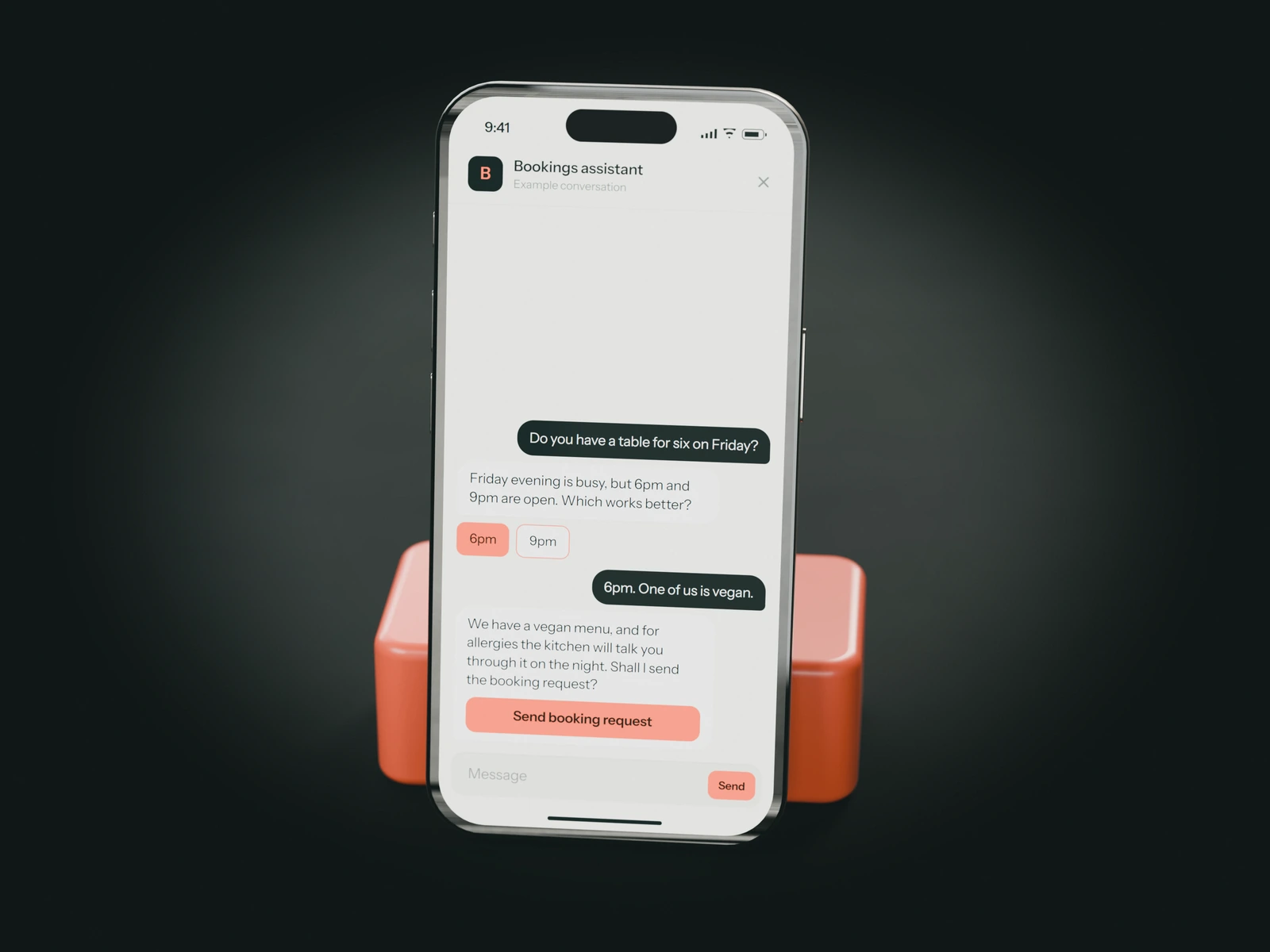
Are you open on Monday, is there a table for six tonight, do you have a vegan menu, can you do a birthday cake, can we bring the dog and do you take large groups. Your staff answer these on the phone in the middle of service. The chatbot answers from your menu and the information you approve.
Grouped by when guests send them: before booking, while choosing what to eat, on the day and after the meal.
What it may say is written down before we build.
Dishes, set menus, opening hours and holiday closures, taken from your current menu and website.
It sends guests to your booking system, or collects requests for your team to confirm if you take bookings by phone.
Private dining, parties and group bookings: it asks for the date, numbers and budget and passes a complete enquiry to the manager.
It points to your allergen information and dietary options. For serious allergies it asks guests to speak to your team, because only the kitchen can confirm what is safe.
A guest running late gets your hold policy in your words, and during service the message also goes to whoever runs the door, by text or email. Changes to the time or party size go through the link in the booking confirmation, so your booking system stays right.
Where to buy one, how to redeem it and what it covers, such as drinks or the tasting menu, as your voucher terms state. Balance checks and expired vouchers go to the manager with the voucher number the guest gives.
It asks what was left, on which day and roughly where the guest sat, plus a phone number, and sends that to the manager. It never says an item has been found. Your team checks and replies.
A parent writes on Thursday evening about Sunday lunch for six. The restaurant's booking system lets the chatbot see open times, and the owner has approved the allergen chart and policies it answers from.
What your team gets. The manager gets the question about the roast and the fryer word for word, with the booking time, party size and email attached. The booking itself sits in the booking system like any other.
It does not promise a table your booking system has not confirmed, and it does not decide whether a dish is safe for an allergy. Complaints and refund requests go straight to a person.
Event enquiries go to the person who plans them, with the details filled in.
Event enquiries reach the manager's inbox or your events calendar, and reservations stay in your booking system.
A reminder when an event enquiry has not been answered, and a monthly list of the questions guests ask most, so your website can answer them too.
These handle the work around a booking that your team does by hand today.
Before each service, the kitchen gets the bookings that mention an allergy or a diet, with each guest's words exactly as written and the table time. It reads them from your booking system where its export or API allows it.
The day before, tables above the size you choose get a message asking them to confirm or release the table, and releases go back into the booking system. If your system already sends reminders, we leave those alone.
For Christmas parties and set-menu groups, the organiser gets the pre-order form and a reminder while it or the deposit is missing. The kitchen gets one sheet per table, with each guest's choice and any dietary note word for word.
After a no-show, the guest gets a polite message with your policy, in your words. Repeat no-shows are flagged to the manager. Any charge follows your booking system's rules and is your team's decision.
The morning after, guests who opted in get a thank-you with a link to your Google reviews. Everyone gets the same link, because Google's rules ban asking only happy guests. Replies that mention a problem go to the manager.
Most of this already exists in a folder, a printout by the till or your booking system. We need it in one place before we build.
Lunch, dinner, Sunday, children's, drinks and set menus as PDFs or links, the allergen chart your kitchen keeps, and the name of whoever updates them.
Its name, such as OpenTable, ResDiary or SevenRooms, and admin access, so we can check whether the chatbot can show open times or should link to the booking page.
How long tables are held, deposits, cancellations, the largest party you take online, children, dogs and corkage. The chatbot repeats your wording, so write it the way you would say it.
Opening and kitchen hours, public holidays, closures and nights the room is booked out for private hire, in one list you keep up to date.
Who gets allergy questions, complaints, event enquiries and lost property, with an email for each and a mobile number for alerts during service.
A few dozen recent emails, Instagram messages or website enquiries with names removed. We test the chatbot against them before launch, and you try it before it goes live.
Guests check the menu, the hours and the booking button, mostly on a phone. Get those right before anything else.
Each menu as a page that loads quickly on a phone, with dietary labels and the date it last changed. Keep the PDF as a download if you like, but not as the only version.
On a phone, the booking button sits at the bottom of the screen and opens your booking system, not a contact form. Today's hours sit next to it.
The hours on your site and on your Google Business Profile say the same thing, holidays included. A guest who sees two answers phones to check or goes elsewhere.
How to tell you about an allergy when booking, a link to the allergen chart and a plain line saying the kitchen confirms what is safe. The chatbot links to this page.
Rooms, capacities, sample set menus and minimum spends as your pack states them, with an enquiry form that asks for the date, numbers and budget.
A page where guests buy vouchers online, read the terms and see what a voucher covers and how to redeem it, without phoning during service.
A map, the nearest parking, step-free access and the accessible toilet, so a guest with a pushchair or a wheelchair knows what to expect before they arrive.
Most restaurant chats are harmless: times, party sizes, high chairs. Allergies are the exception. An allergy or coeliac disease is health information, and in Europe the GDPR gives it extra protection. The chatbot passes it to your manager as written, asks no follow-up questions about it, and asks only for a name and a way to reply.
Card details never go through the chat. Deposits and voucher payments stay on your booking system's or shop's own payment page. We agree before launch how long chats are kept and which of your staff can open them. Allergy notes can be kept with the booking and cleared from the chat history after the visit, if you choose.
Review requests and news about menus go only to guests who agreed to hear from you when they booked, as your booking system records it. That is the simplest rule to keep, and the one we set up. Guests who say no still get their booking confirmation as normal.
It sends guests to your booking system or collects requests for your team. It only confirms a table when your booking system does.
It shares your allergen information, but guests with serious allergies are asked to speak to your team. Only your kitchen can confirm what is safe.
No. The chatbot answers from the menu you keep updated, so its answers change when the menu does.
Yes. It can answer in the language the guest writes in. We test the languages that matter to you before launch.
A widget takes a table. It does not answer whether you have high chairs, how long tables are held or how the set lunch works, so those questions still come in by phone. The chatbot answers them and sends the booking itself to your widget, so nothing is entered twice.
Nobody needs to. The chatbot answers the routine questions on its own. A guest running late triggers a text to the door, allergy questions wait in the manager's inbox with the booking, and the rest is there in the morning. You decide what counts as urgent.
No. It sends guests to your ordering page or the delivery apps you use, and answers questions about collection times and the takeaway menu. An order needs a confirmed price, a time slot and a payment, and your ordering system already handles those.
Yes, as enquiries. It answers from your Christmas menu and terms, collects the date, numbers and company name, and passes the enquiry to the manager. Pre-orders and deposits then go through a form with reminders, so nobody retypes the choices for a table of twenty.
Holiday hours and closures live in one list you can edit, and the chatbot answers from it. Change the list and the answers change with it. Before launch we test the questions guests ask before a holiday, and your website should show the same list.
It depends on how many questions reach you outside the booking widget. If the phone is quiet and your Instagram inbox is empty, a clear menu page and a booking button may be all you need, and we will say so at the free consultation. The chatbot pays off when staff answer the same questions every day.
A list of what guests ask on the phone is enough to start. The consultation is free, over Google Meet, a voice call or text.