


Order status
Where your store platform allows it, it looks up an order by number and email and shares the status and tracking link.
A chatbot on your store that answers order and returns questions from your own data. Tricky cases go to your support team.
Discuss your chatbot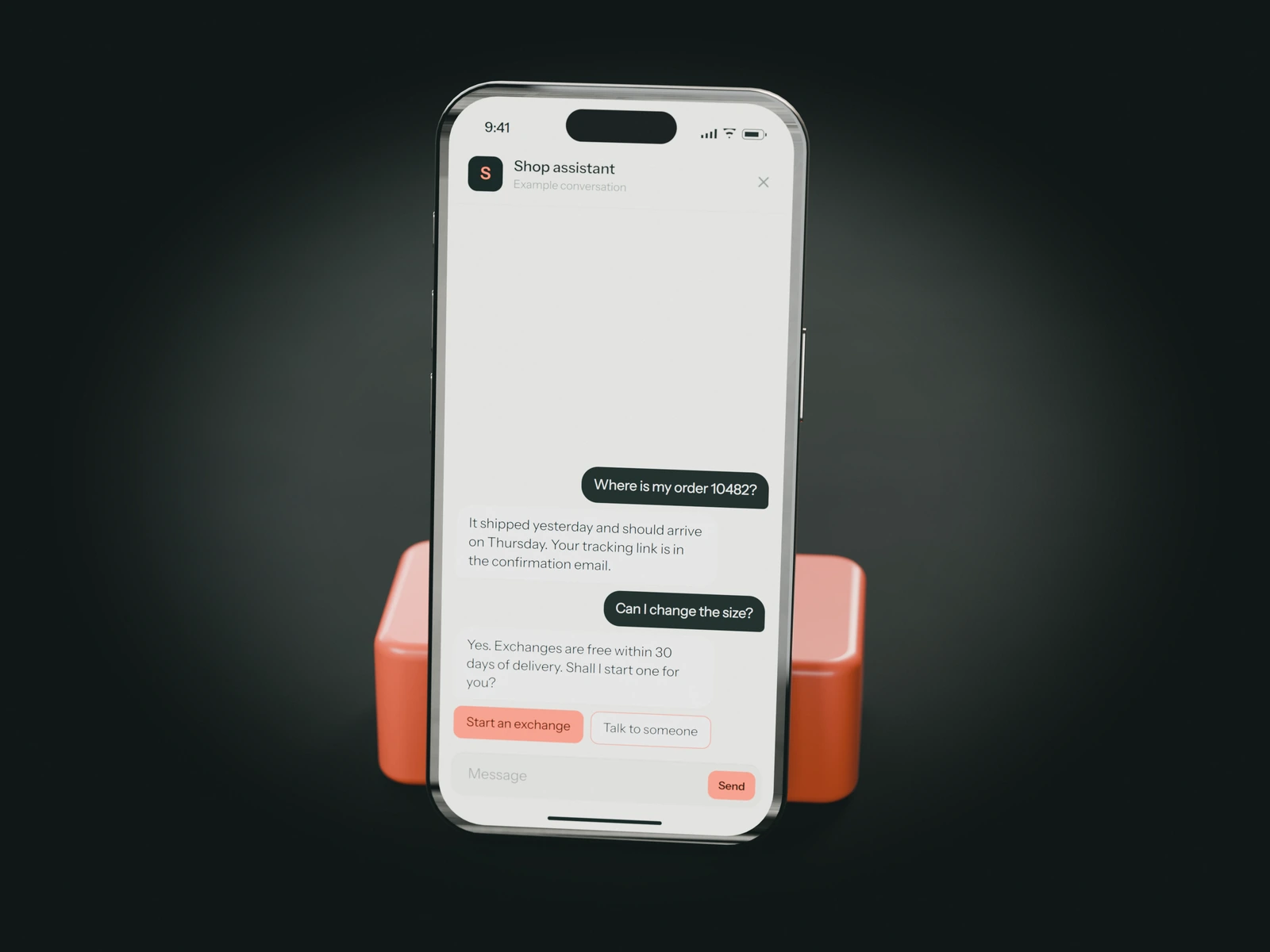
Where is my order, when will it arrive, can I change the size, how do returns work, do you ship to my country and which product is right for me. Most of the answers already sit in your store and your policies.
Many are about an order that already exists, so the chatbot checks who is asking before it answers.
What it may say is written down before we build.
Where your store platform allows it, it looks up an order by number and email and shares the status and tracking link.
Shipping times, countries, costs and your returns policy, exactly as your policy pages state them.
Sizes, materials, compatibility and stock, from your product data. When it is not sure, it says so.
Damaged items, refunds and complaints go to your support inbox or helpdesk with the order details attached.
A wrong address or the wrong size, spotted an hour after ordering. Once the customer is verified, it checks whether the order has been sent, and if not, passes an urgent change request to your team. It never edits the order itself.
After the customer is verified, it shows the carrier's delivery scan, asks the questions your team would ask about neighbours and safe places, and opens a ticket. Whether to reship, refund or claim from the carrier stays with your team.
"My code doesn't work." It checks the code's conditions in your published terms, such as a minimum spend or an end date, and explains which one applies. It cannot create or extend a code, so those requests go to your team.
A customer writes on Saturday morning. The tracking says their parcel was delivered yesterday, but nothing has arrived, and the support team works weekdays.
What your team gets. On Monday the support team opens a ticket with the order, the carrier's delivered scan, the safe place note, the checks the customer has made and a request for a call. They decide what to offer without writing back to ask what happened.
It does not issue refunds, change orders or make promises outside your policies. Anything that needs a decision goes to a person.
Support requests arrive with the order number already attached.
Handover conversations create tickets in your helpdesk or land in your inbox with the order attached.
A message when a return arrives and, with the customer's permission, a note when an item they asked about is back in stock.
Each of these answers a question before the customer asks it, using your store and carrier data where your platform shares it.
When an order has not shipped by your own dispatch promise, the customer gets an email saying so, with a new estimate if your team has one. Support gets the same list each morning.
Each morning, a list of parcels whose tracking has not moved for the number of days you choose, with the carrier and order number, so your team chases the carrier before the customer writes in.
A returns form that collects the reason, photos of any damage and whether the customer wants an exchange or a refund, then sends it to your team or returns app. Your team approves each one.
The review request goes out a set number of days after the carrier marks the parcel delivered, rather than after dispatch, so nobody is asked to review something still in a van.
Each week, the questions the chatbot could not answer from your product data, grouped by product. Fix the size chart or the description once, and both the product page and the chatbot have the answer.
Most of this is already in your store admin. Read access is enough for nearly all of it.
A staff or app account on a platform such as Shopify, WooCommerce or BigCommerce, with read access to orders and products. Read only, because the chatbot looks orders up and never changes them.
Links to your shipping, returns, exchange, warranty and discount terms. The chatbot quotes them word for word, so the live pages need to be the current ones.
Which carriers you use for which countries, your daily dispatch cut-off and how tracking links work, so delivery questions get your real answer.
If you use a helpdesk such as Gorgias, Zendesk or Help Scout, we check what it accepts before promising that handovers arrive as tickets. Otherwise they reach a shared inbox, one email per case, with the order details.
Size charts, fit notes, compatibility lists and care instructions, as a spreadsheet or PDF. Answers to product questions are only as good as this data.
The replies your team already uses, and who approves refunds and exceptions, so handovers go to the person who can say yes.
We test the chatbot on them before launch, including the angry ones and the ones with three questions in one message.
Each of these answers a support question on the page where it comes up, and before you run ads covers the checks for paid traffic.
The delivery price, the dispatch cut-off and the return window, right under the add to basket button. That is where the question comes up, so that is where the answer goes.
Measurements of the garment itself as well as a body chart, in both units, for customers in the US and Europe. It answers "does this run small" before anyone asks.
One page where a customer types the order number and email to see the status and tracking. The chatbot and the confirmation email both link to it.
A form or returns app that collects the reason and photos, and shows the customer what happens next. Returns sent by email arrive without photos and need a reply asking for them.
Guest checkout and wallet payments such as Apple Pay or Google Pay. Every extra field on a phone is one more reason to close the tab.
When your team answers, how long replies usually take and what to include, such as the order number. A customer who knows the reply comes on Monday writes once instead of three times.
An order holds a name, an email, a delivery address, what was bought and how it was paid for. Some purchases say a lot on their own, such as a pregnancy test or a gift meant as a surprise. Anyone can type an order number they found on a packing slip, so the chatbot needs more than that before it says anything.
Anything beyond status and tracking, such as the delivery address, the items or a payment, needs a code sent to the email on the order. Product questions need no personal details at all, so the chatbot never asks for an email to say whether a jumper runs small.
Card details never pass through the chat. Payment questions go to your team, who check them in your payment provider. Before launch we agree what is stored and for how long. Requests to see or delete personal data, a right the GDPR gives people in Europe, go to the person who handles them.
Yes, through Shopify's APIs. Other platforms such as WooCommerce work when their API allows the same lookups.
It asks for the order number and the email used at checkout, and shares only the status and tracking for that order.
No. It explains your returns policy and passes refund requests to your team.
Yes, from your product data, for example by size or use. It does not invent products or stock.
A gift recipient or a partner may have the order number. The chatbot shares nothing until the person confirms the checkout email or the code sent to it. Otherwise it suggests asking the buyer, who can forward the tracking link.
They can ask. Once the customer is verified, the chatbot checks whether the order has been sent, and if not, passes an urgent cancellation request to your team. A person confirms it, because a cancelled order usually means a refund.
Yes. It explains your return window and conditions, then sends the customer to your returns portal or creates a return request for your team. Whether a return is accepted, and what refund follows, stays with your team.
Sales bring the same few questions: dates, codes, delivery cut-offs and returns on sale items. Add the sale terms before it starts and the chatbot answers from them. Anything it cannot answer goes to your team with the order attached, as the customer service chatbot page describes.
It looks up orders in your own store platform. Marketplace orders come with their own messaging rules, so we check how those orders reach your platform before deciding what the chatbot can look up. Sometimes the right answer is to send those buyers back to the marketplace.
Yes, from the label and product information you approve, word for word for ingredients and allergens. Questions about a health condition, pregnancy or medicines go to your team, and the chatbot suggests the customer asks a pharmacist or doctor.
The ten questions your support team answers most are enough to start. The consultation is free, over Google Meet, a voice call or text.