


Quote requests
It asks what your agents ask first: what needs cover, the renewal date, the current insurer, past claims and the best time to call. Your agents get a summary they can quote from.
A chatbot on your agency's website that collects quote details and policy changes for your agents, and leaves every cover decision to them.
Discuss your chatbot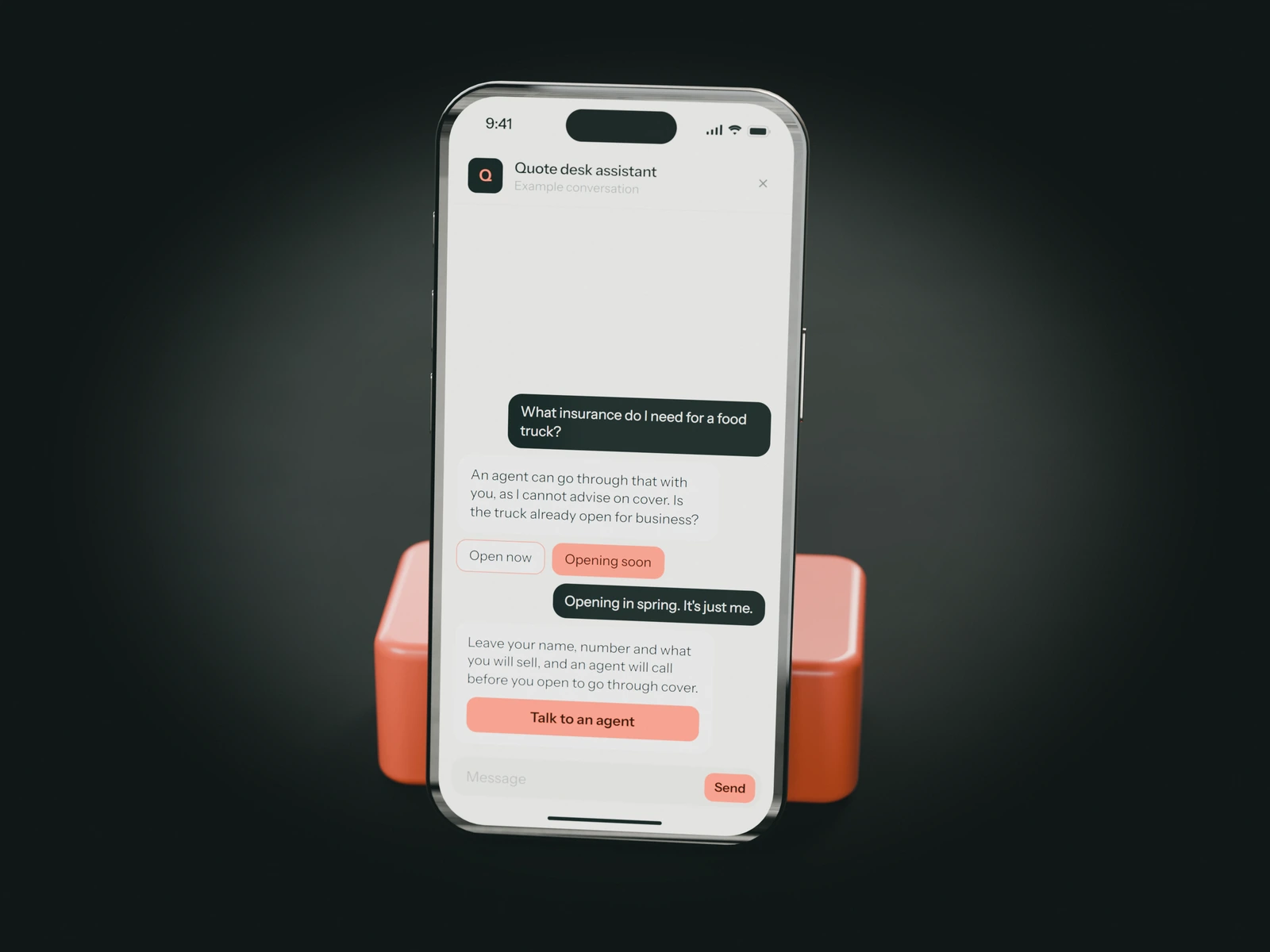
Can you quote my home and car together, how do I add a driver, can I get a certificate of insurance for a job tomorrow, when does my policy renew, how do I report a claim and am I covered if a tree falls on the shed. Most of these have a set answer or a set form. Whether a claim is covered is a question for an agent with the policy in front of them.
Many are routine requests, and a few come from someone standing next to a damaged car.
What it may say is written down before we build.
It asks what your agents ask first: what needs cover, the renewal date, the current insurer, past claims and the best time to call. Your agents get a summary they can quote from.
A new driver, a different car, a new address or a home extension: it collects the details and sends them to your service team, who make the change with the insurer.
Requests for a certificate of insurance, proof of cover or a copy of the policy reach your service team with the client and the deadline noted.
It gives the insurer's claims line and your agency's claims contact at once, and takes the first details for your claims handler. It never says whether a claim will be paid.
It explains how billing works at your agency, which insurers bill clients directly and where to pay. Anything about a missed payment or a cancellation notice goes to your service team as urgent, and the chatbot never says whether cover is still in force.
A client who wants to cancel gets a plain answer on how cancelling works at your agency, and the request goes to your service team with the reason and the date wanted. Nothing is cancelled until a person confirms it, and an agent may call first.
When a renewal notice brings a higher premium, it takes the renewal date, the policies involved and the client's questions, and books a review with their account manager before that date, where your calendar allows.
Thursday, 6.40pm. An electrical contractor needs a certificate of insurance for a general contractor before starting a job on Monday.
What your team gets. At 8.30 the commercial service team has the request at the top of the queue: the insured, the certificate holder, additional insured and a waiver requested, the sample on file, a Monday start and a call before 10 if anything needs checking.
It never advises on cover. It does not recommend a policy, compare insurers, say whether a loss is covered or confirm that cover is in place. Those questions go to a licensed agent with the client details already collected. It can show the licence details and disclosures your agency already uses.
Quote requests go to your sales agents and policy changes to your service team.
Where your agency management system has an API, requests are written straight into it. Without one, they arrive in your inbox as a summary your team can work from.
A reminder to your team when a renewal is coming up, and a prompt to call back when a sent quote has gone quiet.
These take repeat work off your service desk, next to the chatbot.
When a quote request lacks something insurers need, such as vehicle details, the age of a roof or the current insurer, the client gets a secure form for just those fields, with one reminder. The agent quotes from a complete file.
A set number of days after a claim is reported, the client gets a short message asking whether the adjuster has been in touch. A reply of no becomes a task for your claims handler to chase the insurer.
Where your agency system receives the insurer's notice of pending cancellation, the client gets a reminder with the insurer's payment contact, and your team gets a task to call before the cancellation date.
When a commercial policy renews, your team gets the list of certificate holders on file who need an updated certificate, so a contractor is not turned away at a site with an expired one.
Once a month, your agents get a list of clients who hold only one policy with you, so they can decide who to call. Nothing goes to clients automatically.
The forms and carrier lists your service team works from are the starting point.
Personal, commercial and specialty lines, and the risks you do not place, such as trucking or high-value homes, so the chatbot can say so in its first reply. A short list is enough.
The questions agents ask before quoting each line, from your intake sheets or online forms. The chatbot asks only the first few, and the rest go in your secure form.
Claims lines, after-hours numbers and billing contacts for every insurer you place business with, as a spreadsheet you keep current. The chatbot gives these out, so a wrong number matters.
Your licence numbers or regulatory status, and your wording on binding and advice, approved by the principal or your compliance lead. The chatbot uses it word for word.
Which system you use, such as Applied Epic, AMS360 or HawkSoft, and an admin contact there, so we can check its API before promising a connection.
Who handles urgent claims and certificate requests outside office hours, if anyone, and what the chatbot should say when nobody is on, as a short rota or note.
Real quote, service and claims emails with personal details taken out, so we can test the chatbot on what your clients actually write.
An agency site should let clients find a claims number or an ID card without calling you, and the chatbot answers from the same pages.
Contractor insurance, landlord insurance, home and auto: one page each, saying who it suits and what you need for a quote. People search for what they need insured, and these pages are what the chatbot answers from.
Each form asks only what that line needs, with the long questions kept for the agent's call. On a phone, a long form loses people who would happily have taken the call.
Each insurer's claims line and online claims link, plus your own claims contact, one tap from every page. Someone standing next to a damaged car should not have to search for it.
Certificates, policy changes, ID cards and cancellations, each with what you need from the client and what happens next, so requests arrive with the details your team needs.
Your licence numbers for each state or country you work in, or your regulator's details, with the disclosures you are required to show. The chatbot links here when someone asks whether you can insure them where they live.
Links to each insurer's app or client login, where clients can download ID cards and documents themselves at any hour, without waiting for your team.
A quote chat can draw out a lot: dates of birth, driving convictions, health for life cover, past claims, the alarm and locks on a house. The chatbot asks only the first questions your agents ask and leaves underwriting questions to your secure quote form or to the agent on the call. Health details and criminal records have extra protection under the GDPR in Europe.
Anyone can type a policy number, and the chatbot cannot check who is writing. So it never reads back policy details, limits or payment status. A message about someone else's policy, from a spouse, a parent or a business partner, goes to your team, who check who may discuss it before anyone replies.
No. It explains what your agency offers and collects details for a quote. Which cover someone needs, and how much of it, is a conversation with a licensed agent.
No. It gives the claims line, takes the first details and passes them to your claims handler. Only the insurer decides a claim.
It collects the request, the certificate holder and the date needed, then sends it to your service team. Issuing the certificate stays with your team.
Only what a quote or change needs, and never card or bank details. Where conversations are kept, and for how long, is your decision, made before the build.
That depends on its API, and we check it before the build. Requests can always come to your inbox instead.
No. A premium depends on the insurer's underwriting, and a guessed figure is one your agents then have to explain. The chatbot tells people how quoting works at your agency and when they can expect to hear back, and takes the details that make the quote quicker.
Yes. It asks one sorting question at the start, then the questions for that line, as a lead capture chatbot does, and sends each request to the right team. A contractor asking about a certificate does not land in the personal lines inbox.
It gives the claims line for that insurer from your carrier list and takes the first details for your claims handler, who sees them when the office opens. It also tells the client plainly that the chat does not report the claim to the insurer.
Yes, from the list of states or countries where you are licensed. If someone is outside it, the chatbot says so and, if you want, points them elsewhere. It does not guess at licensing rules it has not been given.
Where the rater has an API, quote details can go straight into it, and we check that before promising it. Otherwise the summary lists the fields in the order your rater asks for them, so an agent can key them in quickly.
Not from the chat, because it cannot confirm who is asking. It links to the insurer's app or your client portal, where clients log in, and takes a request for your service team if they cannot get in.
Include the questions your agents ask before quoting and where requests land today. The consultation is free, over Google Meet, a voice call or text.