


Listing questions
Price, size, features and availability from your listings, on your website or a feed we connect. When a listing changes, the answers change with it.
A chatbot on your agency's website that answers questions about your listings and books viewings with the right agent.
Discuss your chatbot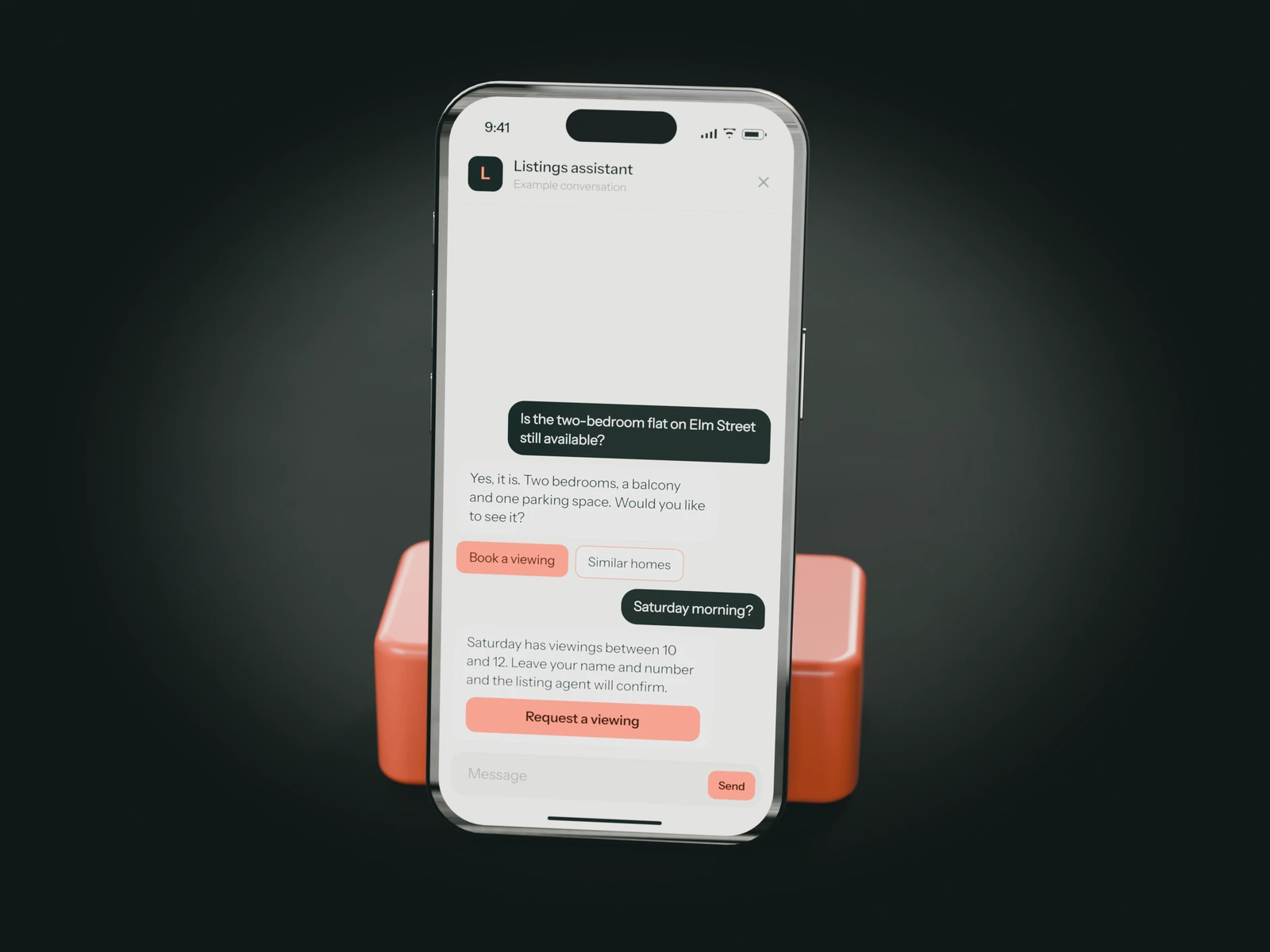
Is it still available, how many bedrooms, is there parking, when can I see it, how do I get a valuation and who handles rentals. The answers sit in your listings and your agents' heads. The chatbot works from your listing data and the information you approve.
The chatbot answers what your listings and policies cover and passes the rest to an agent.
What it may say is written down before we build.
Price, size, features and availability from your listings, on your website or a feed we connect. When a listing changes, the answers change with it.
It collects preferred times and contact details and passes them to the listing agent, or offers slots from a calendar where your tools allow it.
Owners who want a valuation are asked for the address and their timing, then routed to the right agent.
Buyers, sellers, tenants and landlords get different questions, so each agent receives the details they need.
When someone asks about a home that is under offer or sold, it says so, explains whether you still show it and offers similar homes. If they want to know when it comes back on the market, it notes that for the agent.
Tenure, years left on a lease, service charge or HOA fees, council tax band, energy rating and parking, taken from the details you publish. When a detail is missing, it says the agent will confirm it instead of guessing.
Whether a buyer has a home to sell, a mortgage in principle or pre-approval, or is paying cash. The answers reach the agent with the viewing request. Every buyer can still ask for a viewing, whatever they answer.
A buyer opens a listing at 10.40pm on a Tuesday. The house went under offer last week, and she wants to know if she still has a chance.
What your team gets. Sam gets the request with the listing, Saturday morning, a mortgage in principle, no home to sell and a note that she wants to talk about an offer. Her name and mobile arrive with it.
It does not negotiate, give opinions on what a property is worth or make promises about a sale. It describes properties, not the people who live nearby. Offers, valuations and anything that needs judgement go to an agent with the conversation attached.
Each lead goes to the agent who handles that property, the same day.
New contacts and viewing requests go into your CRM or inbox with the listing they asked about.
A reminder when a viewing request is waiting and, with the buyer's permission, a message when a matching property comes up.
These run next to the chatbot, from your CRM where its API allows, and send the routine messages your agents now write by hand.
As soon as a viewing is booked, the buyer gets the time, the address and the agent's name, then a reminder that morning. A reply to cancel tells the agent and, where your calendar allows, frees the slot.
The buyer gets a short message asking what they thought and whether they want a second look. Answers go to the agent and into a weekly update for the seller, which the agent reads before it goes out.
After a valuation visit, the owner gets the agent's written proposal, and the agent is reminded if the owner has not replied by the date you set. If the owner says not yet, they get a check-in later, with their agreement.
When a milestone is ticked in your CRM, such as a survey booked or a mortgage offer received, buyer and seller get a short update. If nothing moves for the time you set, whoever handles progression is reminded to chase.
When a listing's price changes, buyers who viewed it or asked about it get a short message, if they agreed to hear from you. Their replies go to the listing agent.
We build from what your agency already uses. These are the pieces we ask for, and why.
The feed your website already uses, such as an IDX feed or the export your software sends to the portals, so every answer comes from live listings and their current status.
A test login for your agency software, such as Reapit, Alto or Follow Up Boss, so we can check what its API allows before promising that leads land there.
Which agent or branch takes each area, sales or lettings, who covers holidays and who gets offers and complaints out of hours. A simple table is enough.
When viewings run, how much notice occupied homes need, whether you keep showing homes under offer and what buyers must provide first, written as you would brief a new agent.
Your published sales and lettings fees, contract length and notice terms, so the chatbot repeats your wording. If you prefer to discuss fees in person, it says that instead.
Pets, guarantors, holding deposits and referencing, written once and approved, so every applicant gets the same answer. Anything the document does not cover goes to an agent.
Real website and portal enquiries with names removed, including the awkward ones about price and offers. We test the chatbot on them before it goes live.
The chatbot works best on a site that already answers the basics. These are the pages an agency site needs.
Filters for price, bedrooms, area and status that work with one thumb, and results that load quickly on a phone. Homes under offer or sold are labelled, never left looking available.
Photos, floor plan, video tour, the details buyers check and a viewing button tied to that listing, so the agent knows which home the request is about.
For owners thinking of selling or letting: the address, the type of home and their timing, plus what happens at the visit. No automatic estimate. The figure comes from an agent after the visit.
Who works in each office, the areas they cover and their hours, so a seller can see who would value their home and a buyer who will show them round.
Each service level, such as let only or fully managed, with what it includes and your published fees, so landlords can compare before they call.
One page per area you cover, with transport, schools by name and current listings. Facts a buyer can check, and no judgements about who lives there.
Buyers share their name, number, budget and mortgage position, and sometimes why they are moving. Sellers add their own address and when they want to sell. The chatbot asks only what a viewing or valuation request needs. It never asks why someone is moving, and if they say, the detail goes to the agent and is not asked about again.
The chatbot answers from the published listing and the notes you approve. It is never given the offers on a home, the sellers' reasons for moving or their contact details, so it cannot pass them on, however a buyer asks.
ID checks, proof of funds and mortgage documents go through your own checking service or secure upload. Property alerts go only to people who opted in, with a way to stop them in every message. Before launch we agree what is stored, for how long and who can read it. In Europe, the GDPR applies to all of it.
Yes, if it reads from your website or listing feed. We set that up so a sold or withdrawn property stops being offered.
Where your calendar or CRM allows it, yes. Otherwise it collects requests and an agent confirms them.
Yes. Tenants and landlords get their own questions and go to the people who handle rentals.
No. It takes valuation requests and passes them to an agent.
The chatbot sits on your website. Portal enquiries usually arrive by email, and enquiry follow-up automation can reply with viewing times and file each one in your CRM against the listing, where the portal's emails and your CRM allow it. We look at real examples first.
No. One chatbot covers every branch. It asks which area or listing the person means, answers with that branch's hours and contacts and sends the request to the agents there.
Only in general terms. The chatbot cannot be sure who it is talking to, so viewings, feedback and offers on a particular home stay with the agent. It takes the question and passes it to whoever handles that sale.
It asks what your agents would ask on the phone: when the owner wants to move, whether the home is already on the market with another agent and whether they are buying as well. It does not score anyone. Your agents decide who to call first.
Yes. It answers from the plots or units you list, release dates, show home hours and the specification of each house type, and sends reservation enquiries to the sales team. Any incentive is described only in your exact wording.
Maybe not. If someone answers every enquiry within minutes, evenings and weekends included, a chatbot adds little. It earns its place when questions arrive while agents are out on viewings or the office is closed. Check when your enquiries come in before you decide, as our guide on chatbots, live chat and contact forms explains.
Send the questions buyers and sellers ask and how enquiries reach your agents now. The consultation is free, over Google Meet, a voice call or text.